A product-release readiness and response sheet
| Stage | Buyer needs to know | Owner's evidence | Pause or correct when |
|---|---|---|---|
| Before drafting | What the product is and which version is offered | Physical sample, approved description and current stock record | The pictured version differs from the sale item |
| Before scheduling | Total price, delivery and returns | Live product page and checkout tested on a phone | A cost or delivery area appears only after the promised step |
| Before publishing | Whether buying now is possible | Named owner checks availability and the final public link | The page is unpublished, sold out or still taking unconfirmed preorders |
| Launch day | How to ask a useful question or report a problem | Staffed reply route and stock-change process | The post still promises an item that can no longer be ordered |
| After release | What happens with an order or return | Order and support records, not platform counts | A claim about sales cannot be traced to a confirmed record |
Define the product release, not just the announcement
A product launch has an orderable object, an offer and a route for the customer to act. Write down the exact item, variant, who it is for, release status and what someone can do after seeing a post. A photograph that says 'out now' while the page still says 'coming soon' gives a buyer two conflicting instructions. The work begins with the product record, not with a caption or a chosen posting time.
Imagine a small independent stationery shop in Bristol preparing a modular notebook. The shop has a finished sample and may have several cover colours and refill types. This is a fictional teaching example; the guide does not report a HitsBoost customer's results. The owner must decide which combination is actually offered, whether stock is on the shelf or still being made, and whether online delivery, shop collection or both are available. Those facts determine what the announcement can promise.
Give the release one clear primary action. If customers can complete a purchase, send them to the exact listing. If the item is a genuine preorder, say when fulfilment is expected and ensure the page explains the arrangement. If the product is not ready for payment, invite questions or interest without calling that a sale or a reserved item. This distinction protects trust and gives the team a precise rule for what to correct when the operational plan changes.
Make a product truth sheet before making posts
Place the physical sample beside the approved listing and write a short truth sheet: product name, dimensions, materials, included pieces, colour or size variants, price owner, current stock, fulfilment method and who can approve changes. For the notebook, check whether the photograph shows a refill that is included or one sold separately. A pretty unboxing video should not imply that a pen, sleeve or extra pages come in the box if they do not. Keep the exact version in the shot aligned with the version at the linked destination.
Separate a real product fact from an attractive phrase. 'Fits an A5 insert' is a claim that can be checked against dimensions. 'Perfect for everyone' gives a shopper no useful specification. If a sustainability, origin or durability claim appears in the caption, ask what evidence supports it and whether it applies to the particular item. Do not add an unverified 'made in Britain', recycled-content or lifetime-use claim simply to make the product sound local or premium.
The truth sheet also needs an owner. A supplier, stock manager or shop founder should confirm the description before the social manager schedules posts. If a component changes after a sample was filmed, either reshoot or say clearly what the purchaser will actually receive. Save the approved version of the product photograph and the listing link together. That gives the launch-day team a fast reference when a customer asks whether the item in a Reel is still available.
- Compare the finished item with every photograph and description.
- Confirm what stock is ready to dispatch or state a real preorder arrangement plainly.
- Assign one owner to approve any change in availability or product details.
Check UK price, delivery, cancellation and returns at the destination
An Instagram post cannot carry every selling term, but the route it invites people to use should make the actual offer clear before payment. GOV.UK's distance-selling guidance lists information businesses must provide before an order, including the trader's identity, a description, the price including applicable taxes, how payment works, delivery arrangements and costs, and cancellation conditions. Its separate online-selling guidance covers the checkout process. Review the current guidance for the type of goods and sales channel you use; do not treat a short social caption as a substitute for the order page.
For the Bristol notebook, inspect the full price and delivery choices as a customer sees them. If shipping to Northern Ireland or a remote postcode has a different charge or lead time, do not make a blanket 'UK delivery tomorrow' claim. If shop collection is available, explain when and where the order will be ready rather than assuming a visitor will infer that from the shop address. Verify the payment step and confirmation too; a working product page is not enough when the final order route fails or adds a surprise cost.
Returns matter after the excitement of release day. GOV.UK explains that online buyers generally have a limited cancellation period, with exceptions for certain goods, and sets out separate rights for faulty or misdescribed items. Check the precise rules for the notebook and the shop's own process; do not copy an 'all sales final' line from an unrelated market. State how a buyer can contact the business about a damaged item or a return. The same check should be repeated if the offer becomes a bundle, custom item or preorder with different terms.
- Check the price including applicable tax, delivery options and total before payment.
- Show a current cancellation and returns route that fits the actual item.
- Test the order confirmation and contact information from a normal customer view.
Test the public path from post to completed order
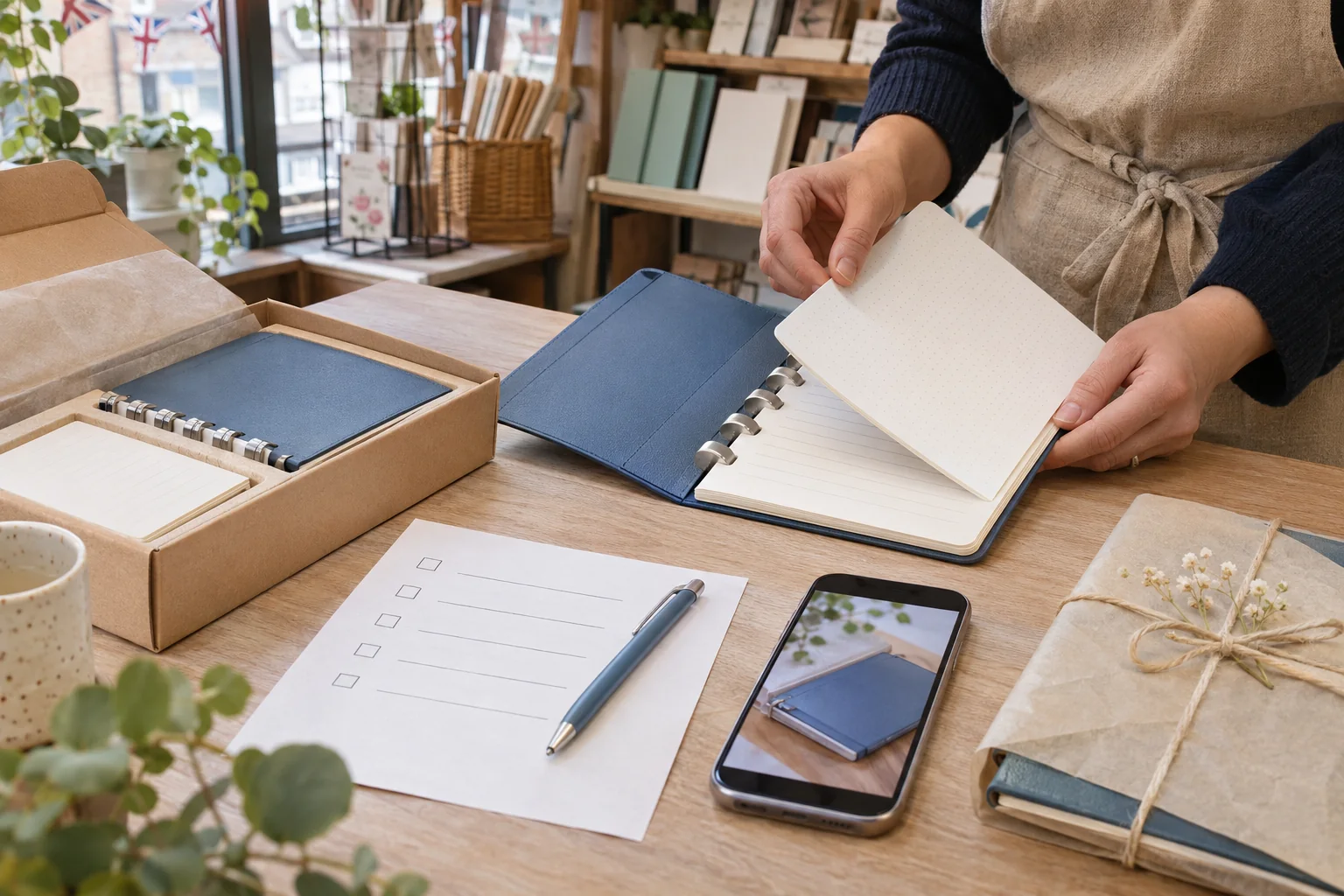
Open the listing on a phone without an administrator login. Check that the product name, photographs, variant selector, stock status, price, delivery and returns are visible and current. Add the item to the basket, reach the final review step and confirm that the page still describes the same version shown in the post. Use a safe test method approved by the shop rather than placing an unintended charge. A successful HTTP response is not proof that a customer can complete the journey.
Then test each planned social route. Instagram caption links may not behave like ordinary website links in every account or surface; use the controls currently available to your account, such as an accurate profile destination or an available Story Link sticker. If a Reel asks someone to visit the profile, the profile should point to the exact product or a clear shop page where it is easy to find. If a Story uses a link sticker, open the published sticker and check the actual destination. Do not assume a link copied from a draft is what a reader sees.
Plan for a change in stock. If the item sells out, decide whether the page will show unavailable status, an honest waitlist or a restock notice. A persistent pinned post can keep driving people to an old promise after the first stock update. Record the public URL of every launch asset and the person responsible for checking it. If the checkout is temporarily unavailable, pause any 'buy now' promotion until the destination again matches the words on the post.
- Open the product page from a logged-out phone, not only an admin preview.
- Follow the same route the caption or Story will ask people to take.
- If the order is not ready, describe an enquiry or waitlist accurately instead of saying 'buy now'.
Show the product answering real buyer questions
Use the medium that makes the item understandable. A short Reel can show how the notebook opens, how a refill fits and what a buyer receives. A carousel can show the cover, inside pages and available variations. A still image can give the clearest view of the exact colour. None of these formats has a guaranteed advantage for a sale; choose the smallest set that answers questions the listing alone may not settle, then point people to the complete offer.
Keep the details accurate and accessible. Record actual assembly steps rather than staging a different mechanism, and check any spoken captions against the words and the product facts. If a photograph communicates a useful detail, add accurate alt text where Instagram offers the control and repeat crucial information in ordinary text. Avoid putting the only price, size or stock warning in tiny image text. A person should be able to understand the product even if the video plays silently or a graphic is hard to read.
Meta's professional-dashboard best-practices material discusses creation, engagement and reach guidance, but those are account tools rather than a recipe for selling a particular notebook. Preview posts on the device and account that will publish them. If an editing or collaboration feature is unavailable, make the factual story in a simpler format. A plain demonstration by the shop owner can be more useful than an elaborate trend that obscures the item, its variant or the next step.
Use a small release sequence with a purpose for each item
Do not borrow a fixed launch-day formula from a generic content calendar. Make only the items the business can verify and support. Before release, a brief preview can explain what the notebook is and whether a customer can register interest. On release, one clear product demonstration can link or point to the live listing. Afterwards, answer a real repeated question, such as whether refills are included, if that question actually comes in. There is no need to publish an extra reminder merely to fill a slot.
Give each draft a job: introduce the item, show a detail, clarify the offer or update availability. Put its product version, public destination, owner, approval status and planned check time in a small release sheet. If the shop also has an in-person demonstration, that is a separate dated event with venue, attendance and event-page needs; the UK local-event guide covers it. This product guide stays with the stock and checkout journey. Cross-reference the two only when the same business truly does both.
A profile pin may help a visitor find the announcement later, but it also preserves an old claim. Assign an expiry or review condition to any pinned release post. A sensible trigger is a material price, stock or delivery change, not a universal number of days. A content calendar can hold these checks, but it should not turn a small launch into a promise to post every day. The team's ability to answer customers is part of the schedule.
Brief creator partners and disclose commercial relationships
A creator may demonstrate the notebook to an audience interested in stationery, but a partnership needs more than a shared aesthetic. Agree which version they will receive, what they can honestly say about it, when they may publish, how long their content may be reused, what happens if stock changes, and who approves the destination. A free product, fee, affiliate link or other incentive changes the relationship and may require a clear advertisement disclosure. Do not send a sample with a request for a positive review disguised as an independent opinion.
CAP explains that content on a clearly identified brand-owned social account is generally recognisable as advertising for that brand. A paid or gifted third-party post is a separate case; consult ASA/CAP's current influencer guide and check whether its commercial nature is obvious when people first encounter it. A platform partnership label can help but does not excuse unclear wording or a hidden relationship. Verify the creator's final asset, caption and link rather than approving a private draft and assuming the published post is identical.
A creator's follower count cannot prove the audience is local, interested in the product or likely to buy. Ask for relevant work samples and a clear deliverable before agreeing to a partnership; the UK media-kit guide helps frame that exchange. Give the creator a way to get a corrected stock or price fact quickly. If they cannot update a materially wrong statement, pause further promotion and agree what should be changed or withdrawn. The buyer should see the same real offer whether they arrive from the shop or a partner.
Run a launch-day go-or-pause check
The release sheet above is a practical gate, not a prescribed posting schedule. Shortly before publishing, the owner checks the physical item and live stock; a second person opens the product page, checkout and returns route on a phone. Confirm who will answer comments and private messages during the period when people may act. If a link fails, a promised variant is missing or the displayed total differs from the approved offer, pause the announcement and fix the underlying page first.
After publication, view the real post from a normal account. Check the image crop, caption, product name, call to action and the exact path a reader will take. A Story link may behave differently from the editor preview; a scheduled post may contain an older draft. Save its public URL in the release sheet. If a partner publishes separately, check that version as well. The public check is short, but it catches failures that a design approval cannot.
Keep one person able to change the public offer when reality changes. If the notebook becomes unavailable, update the product page and review still-active Stories, profile links, pinned posts and creator content. If delivery times lengthen, tell buyers the current estimate rather than continuing an old promise. A correction does not erase the earlier claim for someone who saved a screenshot, so record what changed and reply accurately to people already asking about it.
- Ask a second person to open the published post and product page.
- Confirm stock and answer-route coverage before sending other traffic.
- Correct or withdraw an outdated promise where people can still see it.
Answer product questions and handle orders as separate work
A comment asking whether the notebook accepts a particular refill is an information request. An order confirmation is evidence of a transaction. Do not count the first as the second, and do not ask a customer to post an address or order number publicly. Give a checked general answer in the comment where useful, then move account-specific details to the business's approved private support route. The separate UK customer-enquiries guide explains a small-team handoff; use it when several people share the inbox.
Prepare answers for likely factual questions, but do not send an automatic promise about stock or delivery without checking the current record. If a buyer asks about a combination that is not listed, explain what is offered and whether the team can confirm anything else. A message expressing interest does not reserve an item unless the business has actually created and communicated a reservation. Assign an owner and a next check to unresolved cases; a friendly first reply is not the same as a completed solution.
Keep fulfilment and customer-service evidence separate from Instagram metrics. The shop's order system confirms payment and address details; the social inbox helps identify a question. A parcel on the counter is not necessarily a completed delivery, and a screenshot of positive comments does not show whether a refund request was resolved. When a return or faulty-item issue arises, follow the business's verified process and current UK consumer guidance instead of improvising terms in a public thread.
- Record the question, owner and next action without copying private details into public comments.
- Verify the particular order or stock fact before giving a definite answer.
- Close the issue only after the promised follow-up has happened.

Review the launch without confusing attention with orders
Set a short review window and label each measure by source. Instagram can show views, interactions and profile activity where an account has the relevant insights, while the shop's own records show orders, cancellations, delivery issues and enquiries. Some customers may arrive through email, a creator partner, an ad or an offline recommendation. Without reliable attribution, do not claim an Instagram post caused every sale after it appeared. Use counts to ask what needs checking, not to tell an unsupported success story.
A useful review compares the real buyer path with the plan. Did the linked page load? Were buyers confused about the included refill? Did stock status change promptly? Which product question should be answered on the listing itself? Record a small number of corrections and owners. An increase in Reel views can tell the team that a video was played, but it cannot establish purchase intent or satisfaction. A follower change says even less about the fulfilment of this specific orderable item.
If the shop separately considers a UK Instagram views package for its published product Reel, review the current package and public-link requirements as an optional visible-count service. It does not guarantee discovery, real watch time, qualified UK buyers, sales, recommendations or a stronger product offer. Keep any purchased count distinct in reports, and do not use it as evidence that the launch persuaded customers. The product page, customer questions and confirmed orders remain the proper basis for business decisions.
- Use an order record for orders, not a screenshot of platform views.
- Note email, ads, partners and other promotion before interpreting a change.
- Keep purchased views or followers separate from organic engagement and business results.
Turn the first release into a repeatable shop process
After the first release, keep the truth sheet, approved assets, public URLs, stock-change record and customer questions together. Retire any claim or visual that no longer matches the item. Add a product-page answer when several real buyers asked the same thing, such as whether extra refills are included. Give that update an owner and check it in the customer view. A better listing can spare both a buyer and the support team an avoidable exchange on the next product.
Review what the team could actually do, not only what it planned. If one person had to approve photos, check checkout and answer DMs at the same hour, give those tasks different owners next time or reduce the number of launch assets. If a stock warning came too late, decide how the inventory update reaches the social owner. A simple go-or-pause rule prevents a polished announcement from outrunning the real offer. Keep exceptions and partner arrangements documented only for the next person who needs to act.
Use Meta's current professional-dashboard guidance for the account's available creation and insight tools, but recheck controls when the next release arrives. A useful repeatable process is independent of a particular sticker, shop tag or algorithm theory. The shop can publish a truthful, accessible product demonstration, send people to a verified order route and answer the questions that follow. Whether people buy depends on the real item and many other factors; the launch workflow improves clarity and accountability without promising a result.
Frequently asked questions
Can a UK shop announce a product before it is in stock?+
Yes, if the post and destination accurately say whether this is a preview, interest list or genuine preorder. Do not call it 'available now' or imply a reserved item before the business can support that promise.
What must the order page explain before someone pays?+
For a distance sale, check GOV.UK's current rules for the product and channel. The buyer should be able to find the trader, the actual item, price including applicable taxes, delivery arrangements and costs, and cancellation terms before the order is placed.
Do I need an Instagram Shop tag to launch a product?+
No. A verified product page and a clear route from the profile or an available Story control can support the release. Features and eligibility vary by account and region, so check what your account actually offers rather than promising a shop tag.
Should the price appear in every Instagram launch post?+
Use a current price where it helps a buyer understand the offer, and make sure the linked page shows the complete, current total and delivery information before payment. Correct any post that now makes a materially misleading price claim.
Can I use a creator's product video without an ad label?+
A free product, payment, affiliate arrangement or other incentive needs a case-specific UK disclosure check. Review ASA/CAP guidance, agree what the creator can honestly say and inspect the actual published post; a private agreement does not make the relationship clear to viewers.
What should happen if the product sells out during the launch?+
Update the listing and stop or correct active 'buy now' invitations. Tell people whether a genuine waitlist or restock route exists, and give a named person responsibility for any outstanding customer questions.
Are Reel views the same as customers or orders?+
No. A view is a platform metric; an order is confirmed in the shop's own records. Note other channels and keep any purchased views separate. None of these counts alone proves that the post caused a sale.
How many posts does a small product launch need?+
Only as many as the team can make accurate and support. One clear product explanation, a live destination and a useful answer to a real follow-up question may be enough; there is no universal launch-post count or guaranteed schedule.
Compare Instagram Views packages.
Prepare the public destination, then review the quantity and terms that fit your goal.
Review UK Instagram view options