This English guide is shared with our global site. Follow related UK service links for current packages. Other service links open the global catalog in its stated currency.

A short account-security decision sheet for the owner
| Check | What to confirm | If it is unclear | Keep private |
|---|---|---|---|
| Recovery contact | The owner can open the listed email and receive the listed phone messages | Update the stale method through the official account while signed in | Mailbox access, phone codes and recovery links |
| Sign-in protection | A unique password or offered passkey and an active second factor | Review the current Accounts Center security options | Password, authenticator setup and backup codes |
| Devices and alerts | Every current signed-in device has an authorised owner | Investigate and remove an unfamiliar session using official controls | Device list and security notices |
| Team and connected access | Each manager has an approved task and the access it actually needs | Revoke obsolete access and assign one accountable owner | Client credentials and private team records |
| Recovery response | The owner knows the official recovery page and who handles an incident | Write a brief response plan before the next campaign | Identity documents and case details |
Treat security as continuity, not an engagement trick
An account can publish excellent work and still have a fragile sign-in arrangement. The only person with a working recovery phone may have left the business. A shared password may be stored in several devices. An old agency could still have access. These are account-continuity questions: who can enter the account, how can its owner regain access and what will the team do when something changes? They deserve a check before a launch puts more work into the profile.
This guide is for the account owner, or a manager acting with that owner's permission. Do the review while you are signed in through Instagram's official app or site. Meta's current support update describes Security Checkup and two-factor authentication as tools people can use to protect accounts. It does not say that activating them increases distribution or guarantees an account will never be compromised. The benefit of the check is clearer control and a safer response when access is questioned.
Set the scope before touching anything. If the account displays a content removal or recommendation-eligibility notice, that belongs in the separate Account Status process. If the question is whether an outside supplier asks for your password, that belongs in a provider review. Here the useful result is a verified owner, working recovery contact, appropriate sign-in protection and a short incident plan. Read Meta's current account-support and security update for the platform's own descriptions of these options.
Verify recovery contacts while you can still sign in
First identify the exact account under review. A creator with a personal and business profile can easily update the wrong one in a shared settings area. Open the official account's contact and security settings and confirm the recovery email and phone shown for the intended profile. Then make sure the owner can actually reach those methods. An address that looks familiar but is no longer controlled is not a reliable way to receive a security notice or finish a recovery step.
Meta's Instagram Security Checkup explanation includes reviewing login activity, profile information, accounts that share login information and recovery contact details. Its 2026 account changes may place some settings in a central Meta Account or Accounts Center, so labels can vary. Follow the screen you have rather than an old diagram that assumes one universal menu. Review Meta's Instagram Security Checkup explanation for the underlying checks, then use the current settings on your own account.
If a listed email belongs to a departing employee, coordinate a legitimate owner-controlled replacement while you still have access. Secure the mailbox itself with its own strong sign-in protection. For a phone number, check whether the owner still controls it and can receive ordinary messages. Do not paste full contact details into a shared marketing document; a note saying owner verified on a date is enough. If a change requires reauthentication, follow Instagram's prompt and avoid experimenting on the only working device when the fallback is uncertain.
- Confirm the account selected in settings and the person who owns it.
- Check the recovery email and phone listed for that account; prove the owner can still access each method.
- Update an obsolete method through the official account while access remains available.
- Record the owner and review date without copying addresses or codes into a public document.
Choose sign-in protection the owner can maintain
A reused password can expose more than one account when another service is compromised. Give the Instagram or Meta account a unique password and store it in an owner-controlled password manager where appropriate. If Meta offers a passkey for this account and device, review that option as a different sign-in method. Meta's April 2026 explanation says passkeys now work on Instagram through the updated Meta Account and that security settings may be centrally managed. Availability and exact screens can differ as the change rolls out.
A passkey is not a reason to forget who owns the device or how the account will be recovered. A business using a personal phone for its only passkey should think through what happens if the phone is lost or the owner becomes unavailable. Meta says a passkey can use the device's fingerprint, face recognition or device password. Keep device access private and understand the account's other supported sign-in and recovery options before changing a method.
Do not collect the password in a team spreadsheet or ask a contractor to send it in chat for safekeeping. If multiple people work on content, agree on approved access and keep a named owner accountable. Choose protection that fits the account's devices and ownership. A change that leaves the owner unable to recover the account is an incomplete plan.
Enable two-factor authentication and preserve a fallback
Two-factor authentication adds another check when someone signs in, so a password alone is insufficient for that login. Meta currently recommends it for Facebook and Instagram and describes phone or authenticator-app codes. Choose an offered method the owner can access reliably, then confirm the account selected in the setup screen. Where an authentication app is available, consider it for a method that does not depend on receiving a text message; whichever method you choose, secure the device and its unlock code.
Before a phone replacement or travel, review Instagram's backup-code help and the fallback options shown in the official account. Save any generated backup codes in a private, owner-controlled place. Do not photograph them for a shared campaign folder, paste them into a support chat or include them in a screenshot. A backup code can function as a route into the account, so treat it as sensitive. If the option is not shown, do not invent a code or disable the second factor merely to make a checklist complete.
When changing phones, check that the owner can still access the current factor and understands how the next device will receive it. Avoid signing out of the only working session to run an unnecessary test. Someone who has lost a factor should use Instagram's official recovery flow rather than paying a supposed unlock agent. Record who holds a fallback, never the code itself.
- Choose a supported second-factor method the owner can use reliably.
- Where Instagram offers backup codes, save them in an owner-controlled secure place before changing phones.
- Never share a code through chat, a form, a vendor order, or a support screenshot.
- Confirm the backup route is understood without deliberately signing out of the only working device.
Review logged-in devices and login alerts
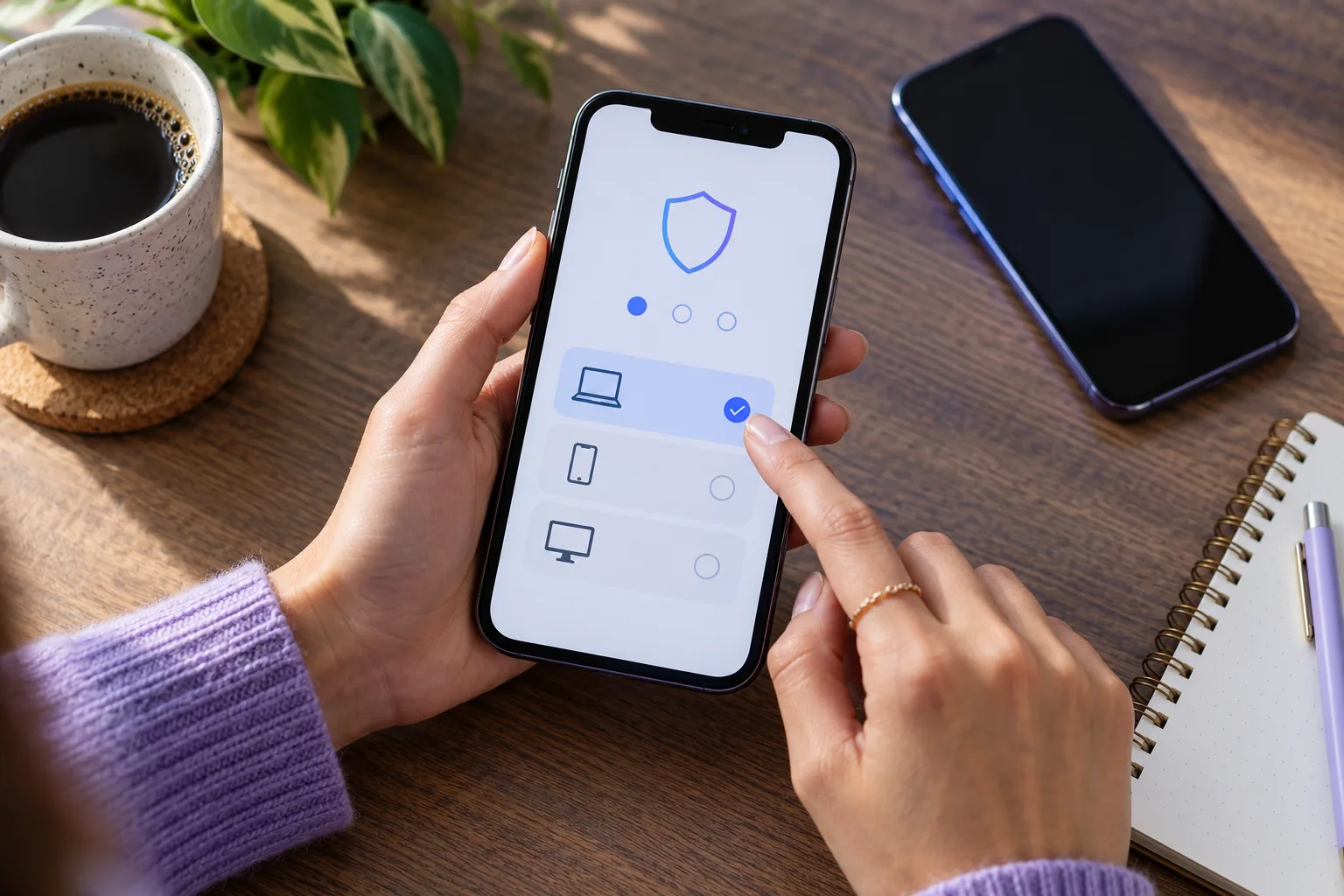
Open the official list of devices or sessions currently associated with the account. Compare each entry with the phones, browsers and workstations that the owner and authorised team actually use. Location labels can be approximate, and a device name may be unfamiliar because a browser changed. An odd label is a reason to investigate, not proof of an intruder. Write down what you can verify before removing anything so a colleague's legitimate work is not interrupted without warning.
Meta's Instagram guidance explains login requests for new devices when two-factor authentication is enabled and describes reviewing recent login activity. Check Meta's guidance on login activity and requests, then use the controls visible in your account to remove an unauthorised session. If you cannot explain a login or observe changes you did not make, secure the account's password and recovery contact as part of the response. A session review is most useful when you also know who should have access.
Enable available login alerts and decide who will read them. For a small team, assign one owner to verify suspicious alerts in the official app. Never approve a login request because someone calls and says they are from support; open Instagram and inspect the notice directly.
Secure the recovery mailbox and connected access
An Instagram recovery email is itself part of the account's security. If another person can read that mailbox, they may see security notices or password-reset messages. Use a distinct password and a second factor on the mailbox where supported. Check that the owner can still open it and recognise security mail. A company address that forwards to an unknown former agency is not a safe recovery contact just because the name looks official.
Review connected apps, business tools and linked accounts in the profile's official settings. Ask whether each still serves a real task. Before removing an obsolete connection, identify its owner and purpose so an active publishing workflow does not break. Record the change. This is an access review, not a claim that every connected app is malicious.
Meta's account-support update describes evolving recovery choices, including identity checks that may appear in certain situations. Review Meta's account-support update for current availability; do not assume a video selfie or a particular assistant action will be offered to everyone. Your best preparation is still a reachable contact method, protected sign-in and a clear owner. Never give a vendor your email password or a message sent to that mailbox so it can supposedly verify a routine public-profile order.
Recognise fake support and recovery outreach
A message that claims your account will disappear unless you send a code deserves a pause. Open Instagram yourself rather than following an unexpected link. Meta has described an Emails from Instagram area in settings for checking genuine account communications. Read Meta's Instagram guidance on genuine security messages and compare that with the options currently visible in your account. The location of settings can change, but the principle of checking through the official app remains useful.
An attacker may imitate a creator partnership, a copyright warning or a support agent. Do not hand over your password, one-time login code, backup code or full account-data export. Do not approve a login prompt you did not initiate. If a colleague sends you a screenshot of a warning, ask them to open the official account and inspect the notice directly. A forwarded image by itself does not prove who sent the original message or what action the account currently requires.
For a genuine account issue, follow the official message. A paid service seller cannot turn a security warning into a package requirement, and a supposed recovery specialist cannot control Instagram's review decision. Hide unnecessary personal information in screenshots and use official reporting or recovery paths.
Write a recovery plan before losing access
Write a short plan that the owner can use without opening the Instagram account. Save Instagram's official hacked-account route in an owner-controlled place. Identify the account's current owner, the protected recovery mailbox, the device or method used for two-factor login and a second way to contact a trusted teammate. This is a location-and-responsibility record, not a document containing passwords or backup codes. Store it privately and review it when the owner or device changes.
If access is lost, the immediate question is whether it is a normal forgotten-password problem, a lost factor, or signs that someone else changed account details. The official flow can present different options according to the situation. Meta's current recovery announcement describes an adaptive process and says an optional video selfie may appear in some cases. Do not promise that one screen or verification method is available to every account, or that any particular method returns access by a deadline.
For suspected compromise, record when you noticed it, the affected account, what changed, devices the owner controls and any official case reference. Secure the linked mailbox and other shared credentials. Avoid deleting relevant evidence or making contradictory requests. Keep identity documents and codes only in the official process that requests them.
- Write down the official recovery entry point and an owner-approved contact method outside the Instagram account.
- Identify who can secure the recovery email and other connected accounts if access changes.
- Keep the incident record factual: time, account, device, unfamiliar change and official case reference.
- Store identity documents and codes only where the official process requires them, never in a shared campaign sheet.
Give a team access without losing accountability
A small business may have an owner, a content editor, a photographer and someone answering customer questions. Give each person the access required for an approved task through the available official tools. Keep a named owner responsible for recovery and high-risk settings. Sharing one password widely makes it harder to tell who changed a setting and harder to remove a former contractor without changing everyone's sign-in. Document who can approve access changes before a busy campaign begins.
When a colleague leaves, review their access on the same day as the handover. Check connected tools, shared mailboxes and any devices they used. Keep a private note of what was removed and who approved it. If the team uses outside scheduling or analytics tools, confirm whether the tool still needs access to the account. A broad revoke-all action during an active campaign can interrupt useful work, so identify each connection before changing it.
Name the content-calendar owner and who can publish it, while keeping the schedule separate from account credentials. A content lead does not need backup codes. Agree where to report suspicious activity and who can pause publication. If one phone is unavailable, the responsible people should know what to do without a risky password transfer.
Run a practical checkup before a launch
Imagine a small ceramics shop preparing to announce a new collection. Its owner controls the Instagram profile, but a former freelance editor scheduled earlier posts. The team spends a short meeting on the decision sheet above. They confirm the recovery email belongs to the owner, that the phone is current, and that the owner understands the second factor and private fallback. They review current sessions and identify the editor's old access before deciding whether it is still needed.
The shop then chooses one person to handle security notices and records where the official recovery link is stored. The content team continues planning product photographs and customer answers; it does not copy credentials into the launch calendar. These are hypothetical actions, not a report that a particular shop avoided a breach. The value of the example is the order of decisions: verify control, review access, prepare a response and then publish.
A quiet week of views during the launch is a different problem. Check an actual Account Status notice separately if Instagram displays one, or review the content and audience evidence if it does not. A security checkup cannot diagnose reach, and a lower view count is not proof of compromise. Review Meta's current support and recovery options when account control is the issue. Repeat the check when the owner, device, recovery method or team changes rather than running it as a ritual after every post.
- The owner confirms recovery contacts and a working second factor.
- The team reviews its devices and removes a former contractor's unneeded access.
- The owner stores a private fallback and the official recovery address.
- Only then does the team schedule the launch; it reviews security again after any ownership or device change.
Keep growth-service decisions separate from account access
After the account is secure, the owner may evaluate ways to introduce its work to more people. That decision should start with useful content, clear profile information and honest customer questions. If a paid Instagram follower package is considered, compare a provider's password and support requirements. A service that targets a public profile should not need the Instagram password, authentication code, backup code or recovery email access. Keep those controls with the account owner.
Review Instagram follower package conditions for the selected public destination, quantity, current price and support terms before paying. Check that the account and its content match the intended audience. A purchased count does not establish that followers will engage, that Instagram will recommend posts, or that a security or recovery issue is fixed. If the account is locked or apparently compromised, resolve control through Instagram's official route first; adding a commercial order is not a recovery step.
Finish the checkup with a clear result: verified owner, reachable recovery contact, supported sign-in method, understood fallback, reviewed sessions and an incident contact. Keep the private details private. Return to the marketing plan only when the people responsible for the account can operate it safely. A strong account-control routine makes ordinary publishing less fragile; it is valuable even when you decide not to buy any service at all.
Frequently asked questions
What should I check first to secure an Instagram account?+
Confirm the correct account and its owner, then verify that the owner can use the recovery email and phone currently listed. Review sign-in protection, active sessions and connected access after that. Work in Instagram's official app or site while access remains available.
Does Instagram support passkeys in 2026?+
Meta's April 2026 account announcement says passkeys now work on Instagram through the updated Meta Account. Availability and exact setup screens may vary. Review the option offered to your account and keep a separate owner-controlled recovery route.
Should I use an authenticator app or SMS for two-factor login?+
Use a method Instagram currently offers and the owner can maintain. An authenticator app does not depend on receiving a text message, while SMS may be more accessible for some owners. Protect the chosen device and keep a private fallback where Instagram provides one.
Where should Instagram backup codes be kept?+
Keep any codes in a secure place controlled by the account owner, such as a protected password manager or another private storage method the owner can access. Do not include codes in chat, a campaign sheet, a shared screenshot or a vendor order.
What if I see a device I do not recognise?+
Check the account, device and timing with authorised users first; labels can be imperfect. If the session remains unexplained or changes are occurring, use Instagram's official security controls to remove unauthorised access and protect the password, recovery contact and second factor.
Can a service provider ask for an Instagram login code?+
Do not give a follower or engagement seller your Instagram password, authentication code, backup code or recovery email access. A routine public-profile order should be evaluated by its public destination and written terms, not by transferring account control.
What should I do if my Instagram account has already been hacked?+
Use Instagram's official hacked-account route and the options shown for your situation. Secure the recovery email and any other connected credentials, record the changes you observed and keep private identity material within the official process. No outside agent can guarantee a recovery outcome.
Will this security checkup improve Instagram reach?+
No specific reach or ranking change follows from completing the checkup. It helps the owner maintain and recover control. For low views or a recommendation notice, examine the relevant content and Instagram Account Status information separately.
Compare Instagram Followers packages.
Prepare the public destination, then review the quantity and terms that fit your goal.
Review Instagram followers packages and account requirements