An illustrative message-routing worksheet for a UK ceramics studio; verify the live facts before posting
| Message | Best destination | Fact owner | What to check before sending |
|---|---|---|---|
| New workshop date is confirmed | Channel update, plus a current booking page | Studio manager | Date, capacity, location and public booking route |
| How to care for the new glaze | Helpful channel tip or permanent guide | Maker | Care instructions for the exact collection |
| Where is my paid order? | Private support | Order-support colleague | Identity and order record; never expose them publicly |
| Can everyone collect on Saturday? | Current policy page or verified announcement | Shop manager | Opening hours, staffing and collection conditions |
| What colour should we make next? | Optional poll if available | Maker | A real choice the studio can consider without promising a result |
Know what a broadcast channel is before opening one
Meta describes an Instagram broadcast channel as a public one-to-many messaging space that a creator can invite followers to join. The creator can share text, images, video, voice notes and polls where the account has the relevant controls. People may discover and view a public channel, while joining is a separate choice. This makes the format useful for a concise update to a self-selected group, but it is a poor home for anything confidential, individual or too complex for a short message.
Meta's first launch description said followers could react and vote but could not send messages. Its later update added optional replies and prompts. Both sources describe real features at different dates; a present-day guide must check what the particular account currently sees. Do not promise that a member can reply unless replies are enabled and available. Do not promise that every follower will see a message or receive a notification. People can mute or leave, and Meta's own explanation distinguishes a one-time invitation from later notification choices.
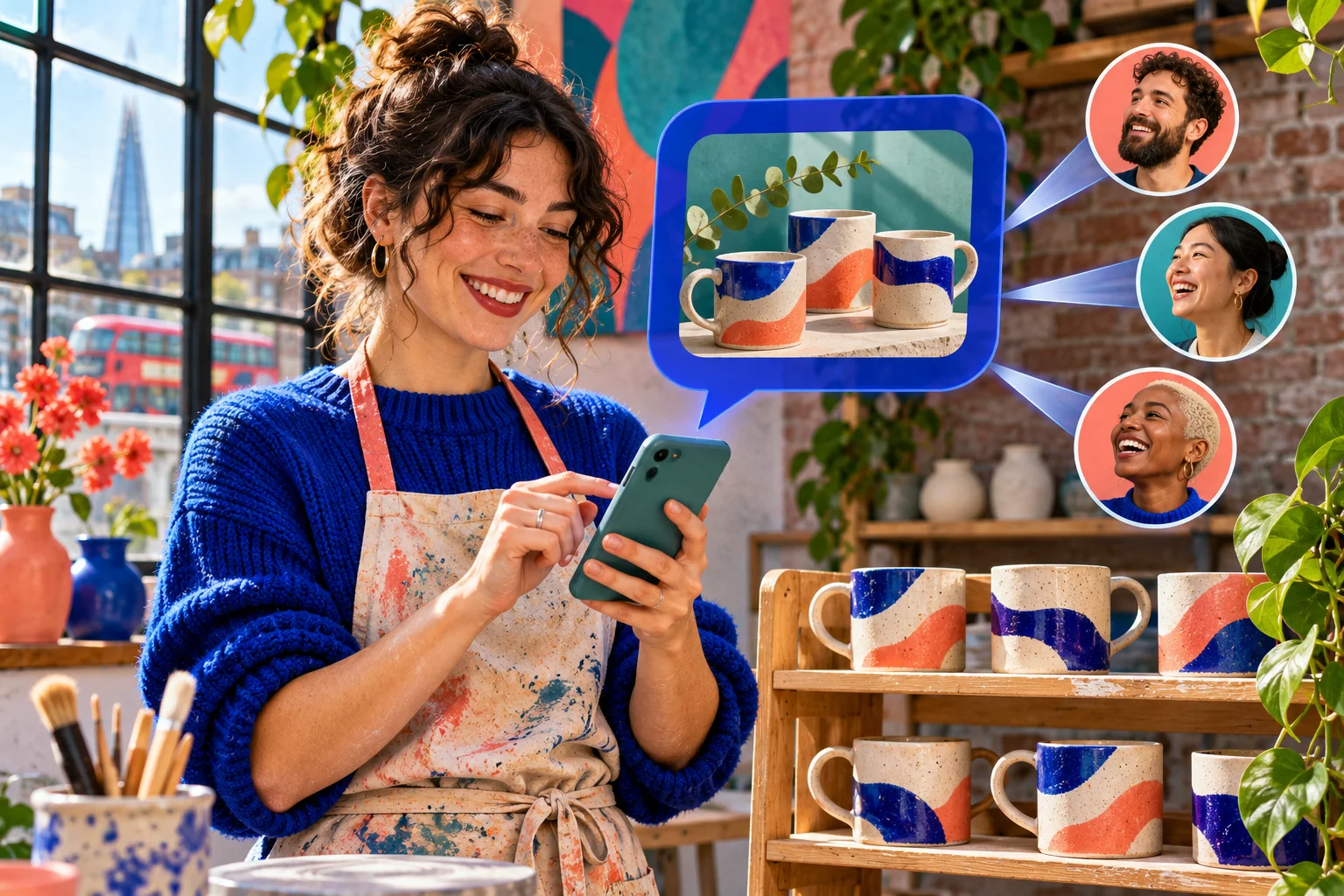
For a fictional London ceramics maker, the channel's purpose might be to show a confirmed workshop date and a short behind-the-scenes glimpse of new mugs. It is not the entire launch plan. The maker still needs a public booking page with current details, a normal way to answer customer questions and a place to correct changing information. The channel serves people who already want these updates; a public post or Reel can still help someone discover the maker for the first time.
Check the account's access and make a fallback plan
The feature-check image shows two colleagues looking at the account and a simple plan with a channel route and a post route. Start there. On the mobile app, inspect the account's current inbox and professional tools for channel creation, then follow Instagram's in-app Help Center for the latest eligibility and controls. Account type, product rollout, settings and restrictions can affect what is shown. A UK location alone is not proof that the create control is present, and a search result from a different app version is not an account-specific diagnosis.
If the create control is missing, record what was checked and when. Update the app through the normal store, examine the account's professional settings and look for a relevant notice or restriction without assuming the cause. Do not hand an account password to a third-party tool or buy a supposed access unlock. Do not turn an unverified feature into a promised business launch date. The maker can still share the workshop date in a normal post, Story and existing email list while checking official help later.
If the control is present, confirm what the account can actually use: text, images, polls, replies, prompts, a joining link and any cross-sharing option. Note which are absent rather than writing a plan that depends on them. Use the current interface as the final authority for the steps, because Meta changes menus. This eligibility check is separate from deciding whether a channel is useful. A technically available feature can still be a poor fit for a team that cannot keep the information accurate or moderate responses.
- Open the account in the current Instagram mobile app and look for the channel-creation control in the inbox or professional tools.
- Check Meta's current Help Center from the app for account-specific eligibility and any restrictions.
- Do not switch account type or promise a launch solely to unlock an unverified control.
- Record a normal post, Story or email update as a fallback if channel creation is unavailable.

Decide whether a channel solves a real communication problem
List the updates customers or followers have actually wanted during the last few weeks. Good candidates are a confirmed workshop date, a short making-process note, an answer to a common general question or a poll where the maker is genuinely open to the result. Weak candidates are another generic sales reminder, a copy of every feed post or a promise to message daily without material to share. The channel should answer, 'Why would someone choose to join?' in one plain sentence.
Compare the route for each message. A permanent price, booking condition or delivery policy belongs on the site or checkout path where it can be maintained. A private order question belongs to the support team. A visual discovery story may work better as a Reel or feed post. A channel update can point to those more complete destinations, but it should not carry the only copy of a fact that a customer needs before paying. The table below makes the distinction concrete for the fictional ceramics studio.
Capacity matters as much as topic fit. One person must own the facts and another, or the same person with allocated time, must watch for replies and corrections. If the shop is already missing support messages, an optional public channel could increase confusion. In that case, improve the existing support route first. GOV.UK's business data-protection guidance is relevant when messages contain personal information; a public channel is not a safe place to collect customer names, addresses or order details.
Give the channel a narrow promise and a small pilot
Write a channel purpose before drafting the first message. The ceramics maker might promise occasional verified workshop and collection updates, plus short views of the making process. That is narrow enough for a follower to understand and for the studio to maintain. Do not call it 'exclusive access' unless the team has an actual, defined exclusive benefit. Do not use a title that implies official Instagram support or a guarantee of early access to every product.
A pilot can begin with three distinct updates: a welcome note explaining the purpose, a behind-the-scenes photo with a useful detail, and a confirmed event or collection announcement with a working destination. These are examples, not a platform-required sequence. The studio can prepare them before inviting people so the channel does not launch empty. Each should stand alone, and each should identify any date or condition that could expire. A repeated product photo with a new exclamation mark is not a fresh reason to notify people.
Put the pilot in a simple working sheet: intended message, fact owner, public destination, send date, review date and correction route. If the owner cannot verify an item, postpone that message. The existing UK product-launch guide addresses a full launch across channels; this guide addresses whether a broadcast channel adds something useful to the communications mix. Keep the pilot short enough to review honestly, and resist setting a publication quota before seeing whether anyone needs the format.
Write the first announcement so it can be checked
The first useful announcement should answer a reader's immediate question: what has happened, who it is for and where can they check current details? For the fictional studio, a clear draft is: 'The next Saturday mug-making workshop is open for booking. See the current date, spaces and location on our booking page.' The studio manager must verify those details first. The message should not say 'last spaces' unless the booking system supports that claim at send time, or suggest a workshop is free when a fee applies.
Link to the exact public page if the account's current channel controls allow it. Open the destination as an ordinary visitor on a phone and check that it loads, names the same workshop and has current price and participation details. If the app does not provide a tappable link in the expected place, use a truthful route people can follow rather than inventing a button. A broadcast message is short; a complete booking page holds the changing terms and any conditions a buyer needs before paying.
Images and voice notes can make the message warmer, but they should carry true information. Show the actual mugs or workshop space rather than a stock scene that implies a facility the business does not use. Keep essential dates and next steps in readable text alongside media, so someone who cannot play audio still understands the announcement. Add a review date for time-limited claims. When a booking window closes, the destination and old channel message should no longer invite people to act on an expired offer.
- Write the exact update in one sentence before adding any image or poll.
- Have the fact owner verify the date, stock, location, link and any conditions.
- Test the destination as a visitor on a phone.
- Remove a time-sensitive claim or assign a date to check it again.
Choose polls, prompts and replies for a reason
Meta's channel introduction describes polls as a way to gather feedback. Its later update describes prompts and optional nested replies, with controls for deleting or reporting a reply. A poll works when the business can ask a real choice: which glaze colour would people like to see tested next? It does not transfer product-design authority to voters or guarantee that the winning option will be produced. State the decision's limits before asking, especially if the team already knows a material, cost or safety constraint.
A prompt can invite a short creative response, while replies can let members discuss a specific message. Both create moderation work. Before enabling them, decide who will read responses, when they will do so, what is off topic and how private matters will be redirected. If the maker is alone during a busy workshop week, a simple announcement with reactions may be more responsible than a prompt that asks for photos or advice. The available controls may differ by account and app version, so check them before publishing an invitation.
The channel is not a 24-hour customer-care promise. If a member asks whether a private order shipped, the maker should direct the person to the approved support route and avoid confirming order details in a public reply. If someone shares a home address or payment information, follow the channel's reporting and moderation controls and the business's privacy procedure. The separate UK enquiry guide covers detailed handoff; the principle here is to keep channel participation optional, general and safely moderated.
Keep announcements separate from individual support
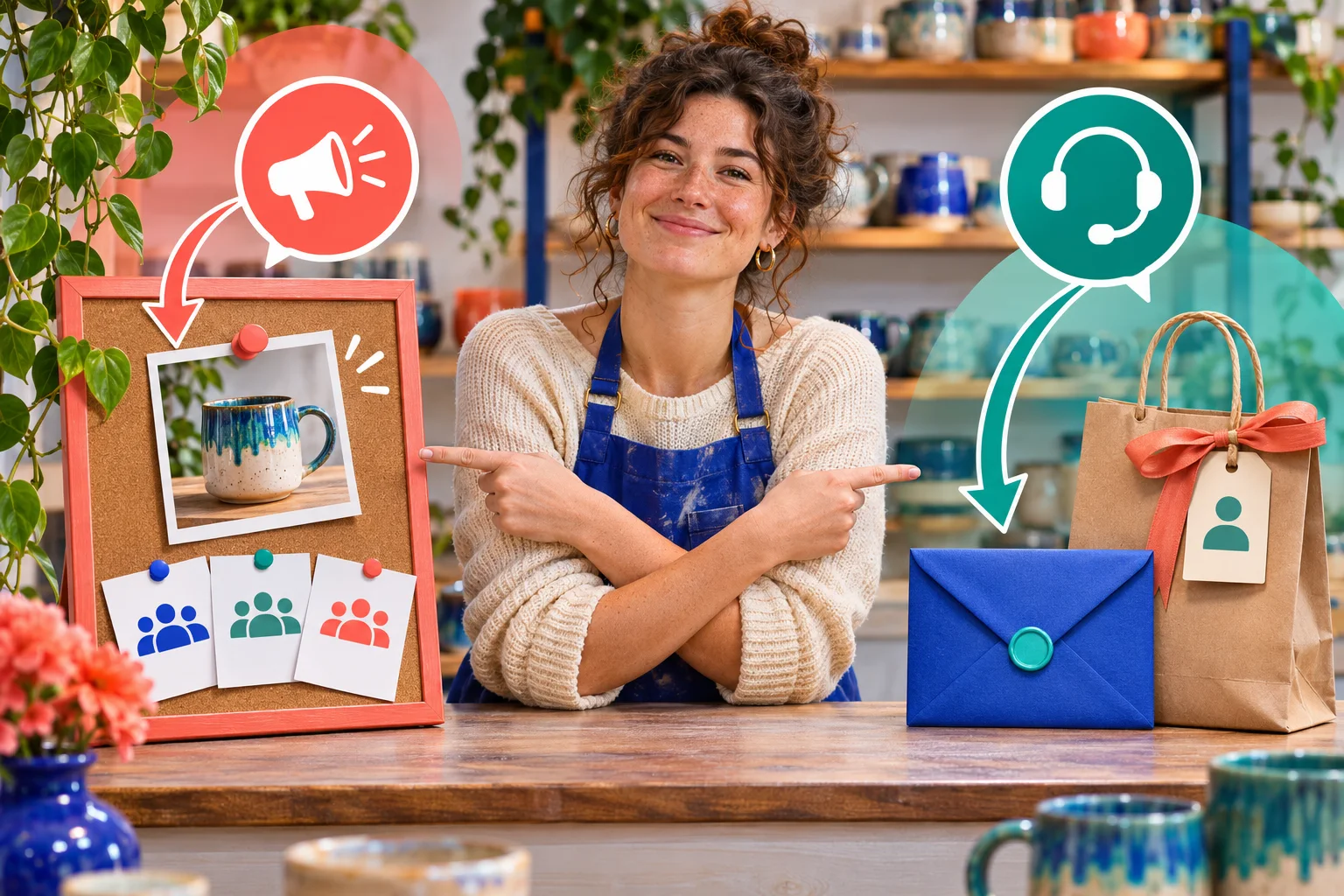
The second inline image shows the difference: a public mug announcement board on one side, a sealed envelope for a single customer on the other. A channel is public and discoverable according to Meta. That makes it appropriate for a confirmed workshop date or a general care instruction, not for someone's order history, address, refund decision or complaint. Even a member's reply may be visible in the channel context. Write replies as if another customer could read them, and move personal questions to a private authorised route.
Give the team a sentence it can use without sounding dismissive: 'We can check that for you through our support chat; please do not share your order number here.' Do not ask a customer to repeat personal details in public. If the issue exposes a general gap, such as unclear collection hours, fix the underlying public page and then send a general clarification if useful. A channel message does not replace a direct answer to a person who already asked privately.
Separating routes also helps measurement. A poll vote can show interest in a colour idea; it does not show that an order was placed. A support chat can confirm whether an individual issue was resolved; it should not be mined for a public testimonial without appropriate permission. A booking system can record actual bookings, but the channel's role in any booking is not automatically provable. Keep each record in the system that owns it rather than treating all Instagram activity as one pool of customers.
Moderate the channel and correct stale information
Meta says broadcast channels are subject to Instagram's Community Guidelines and provides ways to report content. Its newer update describes deleting or reporting replies. The studio should set a simple conduct rule when it invites participation: keep replies relevant and respectful; send private questions to support. Assign a person to inspect replies and reports at realistic intervals. The business need not promise instant replies or imply that the channel is staffed continuously if it is not.
When a workshop date, availability or product feature changes, the fact owner should first update the primary booking or product page. Then identify the old channel message and any copied Story, post or email that still states the previous fact. Use the controls currently available to clarify, correct, replace or remove the affected message, and make a fresh announcement only if it helps people who may have seen the old one. A new post elsewhere does not make the stale channel message harmless.
For a serious misunderstanding, respond with the exact corrected fact and a clear current destination. Avoid vague language such as 'plans changed' when people need a date or refund route. If a follower has already paid or acted on the old information, handle their case through normal customer support. Keep a short internal correction note so staff do not repeat the original mistake. If the team cannot monitor the channel for a period, pause interactive features or announcements until it can maintain them responsibly.
- Assign a named person to check replies and reports at a manageable interval.
- Publish a simple rule for respectful, on-topic responses if replies are enabled.
- Remove or report abusive or privacy-exposing content using current platform controls.
- Pause replies or prompts if the team cannot moderate them safely.
Measure the pilot without claiming reach or sales
Meta says channel insights may show measures such as interactions, Story shares and poll votes, and offers best-practice guidance. Check the names and availability on the account rather than assuming a universal dashboard. Record the channel link, message date, message purpose, metric label and observation date. A joined member, reaction or vote indicates activity in that channel, not that every follower saw a notification or that a buyer walked into the studio. Avoid turning a small change in a visible count into an invented causal story.
The maker's pilot question is practical: did people understand the workshop date and find the booking details, and did the channel create manageable follow-up work? Look for relevant replies, repeated questions and broken-destination reports. Compare them with the booking page and support team's own records, keeping attribution uncertainty explicit. A booking may come from a friend, search, a feed post or several touches. The UK Instagram Insights guide explains how to compare equal periods and keep metrics distinct.
An honest review might say that the welcome message was understood, the poll showed a few colour preferences and one question exposed a missing location detail on the booking page. That is useful learning without a conversion claim. If the same confusion persists, improve the source information or the next message. If the team spends more time moderating than the update helps, turn off replies or choose another format. The goal is a clearer path for a willing audience, not a larger number to display in a report.
Compare a channel with a post, Story, Reel and email
Choose the communication format from the task. A feed post or Reel is a better candidate for a visual explanation that a new person can discover later; the UK Reel question guide shows how a shop can demonstrate a factual answer. A Story can carry a timely pointer if the account has an appropriate sticker or sharing control. A channel can give joined followers a compact sequence of updates and optional participation. A site page or email can preserve fuller information that needs to remain accessible and correct over time.
Do not publish the same sentence everywhere at once merely to appear active. Write a message for each route: the channel can say why an update matters, the site can hold the verified booking conditions, and support can resolve a person's case. If the workshop has no new information, there is no need for a channel message. If the maker is announcing a permanent policy, update the site first. If a private customer asks a direct question, answer it privately before adapting the general theme into content.
The channel may be unavailable to a particular account or unsuitable for a tiny team. In that case, a good normal post and a clear current site destination can be enough. Conversely, if followers repeatedly ask for behind-the-scenes notes and the maker can maintain them, a channel pilot may fit. The decision is based on audience need, account access and team capacity, not a universal claim that channels outperform the feed or that one more platform feature creates local demand.
- Start with a few genuinely useful updates, not a promised daily quota.
- Record which question each update was meant to answer.
- Review misunderstanding, support handoffs and the channel's available activity measures.
- Stop, pause or change format when the content becomes repetitive or unmaintained.
Run a maintainable pilot and keep follower purchases separate
Before inviting people, the studio should confirm channel access, write its purpose, test the booking destination, prepare the first useful updates and assign a fact owner and moderator. After a few messages, review whether people understood them and whether the support team can manage the responses. A simple stop rule is to pause if the studio has no verified update, the primary page is stale or replies cannot be moderated. This protects both the audience and the business from a channel that promises more than the team can deliver.
A bigger audience is not a substitute for a good message. HitsBoost's UK Instagram follower packages are a separate profile-count service under their current terms. They do not grant channel eligibility, force anyone to join, guarantee notifications, produce replies, validate a workshop offer or establish local sales. A creator who wants to compare those options can review the live service page separately from the editorial pilot. The channel itself should be judged by whether it helps willing people receive accurate, useful updates.
Keep the review modest. If the format helps, continue with a rhythm the team can sustain and a clear route to correct old information. If it does not, use posts, Stories, the website or the existing customer-support channel instead. The maker can also reserve the channel for genuinely new workshop information rather than filling the space every week. A public channel earns attention through relevance and trust, not through how many messages it sends or how quickly its membership count changes.
Frequently asked questions
Can every UK business or creator open an Instagram broadcast channel?+
Do not assume so. Inspect the account's current mobile app and Meta's in-app eligibility help. Access and controls can differ; if creation is unavailable, use a normal post, Story or existing email route rather than promising an unverified launch.
Are Instagram broadcast channels private?+
Meta describes standard channels as public and discoverable. Do not post order details, addresses, private messages or other individual information there. Use the business's approved private support route for personal cases.
Can members reply to a broadcast-channel message?+
Meta introduced optional nested replies after the original channel launch. Check whether the account has that control and whether it is enabled. If replies are open, assign a moderator and route private enquiries away from the public thread.
Will every follower get a notification when I post?+
No such delivery should be promised. Meta distinguishes a one-time invitation from later notifications and says members can mute or leave. Treat channel membership and measured interactions as separate from actual notification delivery.
What should a small UK shop publish first?+
A short welcome that explains the channel's purpose, then a verified update people have a reason to want. Link or direct people to current booking or product information; do not use a channel message as the only source for changing purchase terms.
Should a poll decide which product we make next?+
A poll can collect preferences if the feature is available, but it is not a promise to produce the winner. Say what the studio can genuinely consider and keep design, safety, stock and cost decisions with the people responsible for them.
How do I measure whether the channel is useful?+
Record the purpose of each message, the channel activity labels the account actually provides and relevant follow-up questions. Check confirmed enquiries or bookings in the business's own systems while acknowledging that a channel interaction is not proof of a sale.
Will bought Instagram followers make my channel eligible or successful?+
No. A follower package is separate from Meta's feature eligibility and cannot guarantee joins, notifications, engagement, local customers or sales. Assess the channel through its own access, content quality and maintainable workflow.
Compare Instagram Followers packages.
Prepare the public destination, then review the quantity and terms that fit your goal.
Review UK Instagram follower options separately