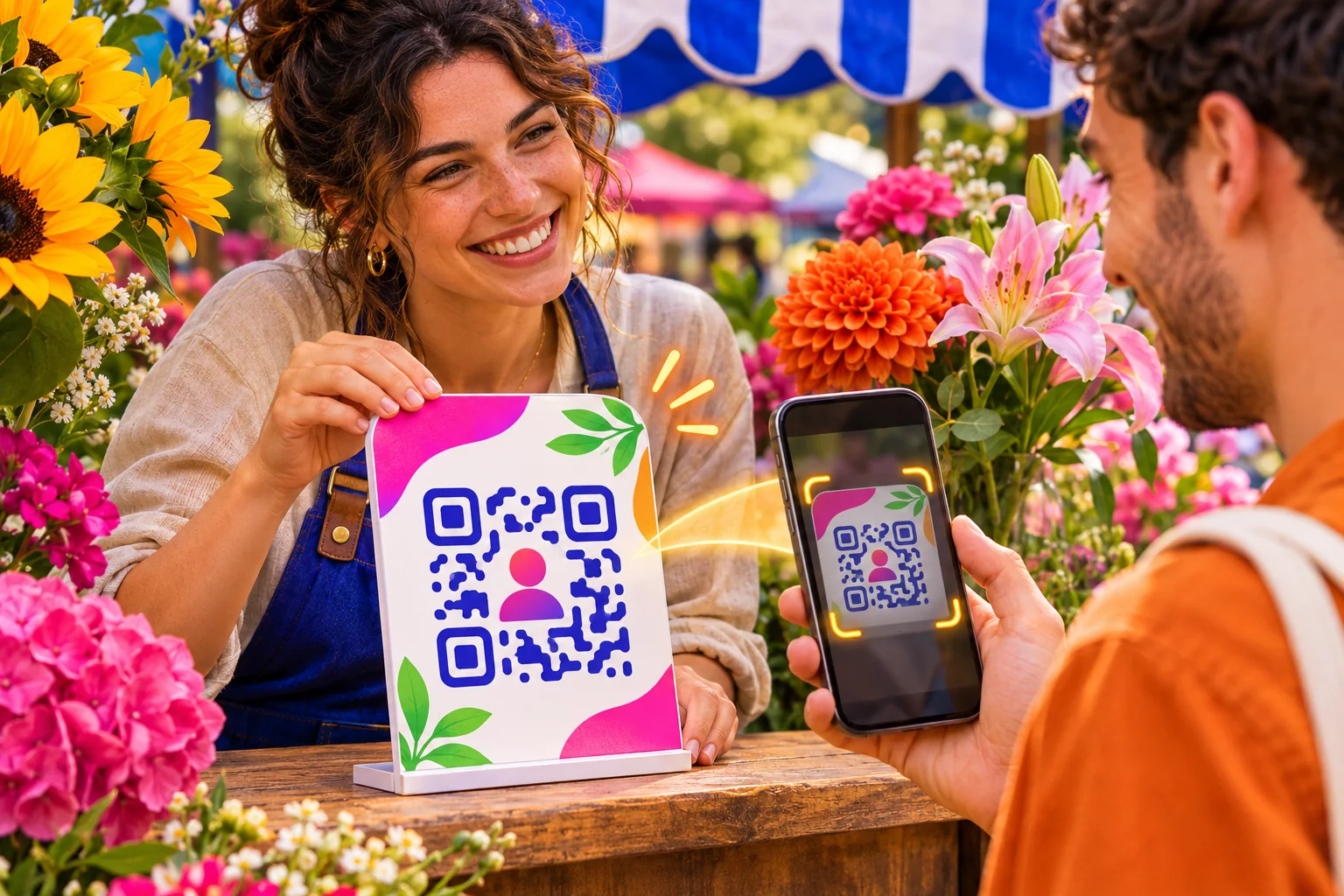
Choose the link surface for the job a visitor is trying to finish
| Route | Useful when | Main check |
|---|---|---|
| Native Instagram profile link | One or a few stable destinations need a visible place on the profile. | Tap it from the public profile and verify the final page and first action. |
| Owned landing page in a profile link | Several changing resources need one stable address with clear choices. | Keep the page fast, accessible and current; inspect each onward link. |
| Story link sticker | One time-specific Story needs its own destination while that Story is visible. | Test the exact Story sticker and destination; do not assume it updates the profile. |
| Profile contact or action button | The business has an eligible contact or booking action shown by the current account. | Check what the button actually opens and who handles the request. |
Understand what a profile link does
Meta's Instagram Help Center describes adding a website to a profile through its dedicated Links setting. Meta's business-profile course also treats a website or shop link as part of a completed business profile. The useful distinction is placement: the bio is brief descriptive text, while the Links control is where an external destination belongs. A sentence such as 'See our size guide in the link below' may help someone choose, but the sentence itself should not be the only place an address appears. Confirm the saved profile shows a link that a visitor can actually tap.
A profile link is a standing route. It can lead to a shop, booking form, portfolio, newsletter, support page or current guide. It does not turn a post into a shop, make a visitor buy, or cause Instagram to recommend more content. The destination is outside the profile, so its own page needs to load, explain the offer and support the next action. If a visitor leaves because the page is slow, expired or requires an unexpected login, adding another link label will not solve that problem.
Start with the visitor's task, not a list of URLs
Before editing the app, write one sentence beginning 'A visitor came here to…'. A ceramics maker might finish it with 'find the cups from today's Reel'. A local instructor might say 'check class dates and book a place'. A creator pitching a collaboration might say 'see the current media kit and contact method'. Each answer suggests a different first destination. The profile text, pinned posts and link title should make the same route understandable without asking the visitor to decode a list of brand names.
Now check the destination as if you did not own the site. Does the page open at the relevant item or section? Is the item still offered? Is the price, availability or booking step current? Can someone find the next action without scrolling through a long homepage? A general home page is appropriate when it genuinely presents the choices well. A direct product or service page is better when the visitor arrived for that specific thing. Neither choice is universally right; the test is whether the actual visitor can finish their task.
Separate a standing profile route from a one-week campaign. If a temporary offer becomes the first link, record when it ends and what the page should show afterward. A customer who taps an old promotion deserves a truthful current page, not a silent error or an expired discount. This simple maintenance responsibility matters more than filling every link slot.
Choose a first destination and useful secondary links
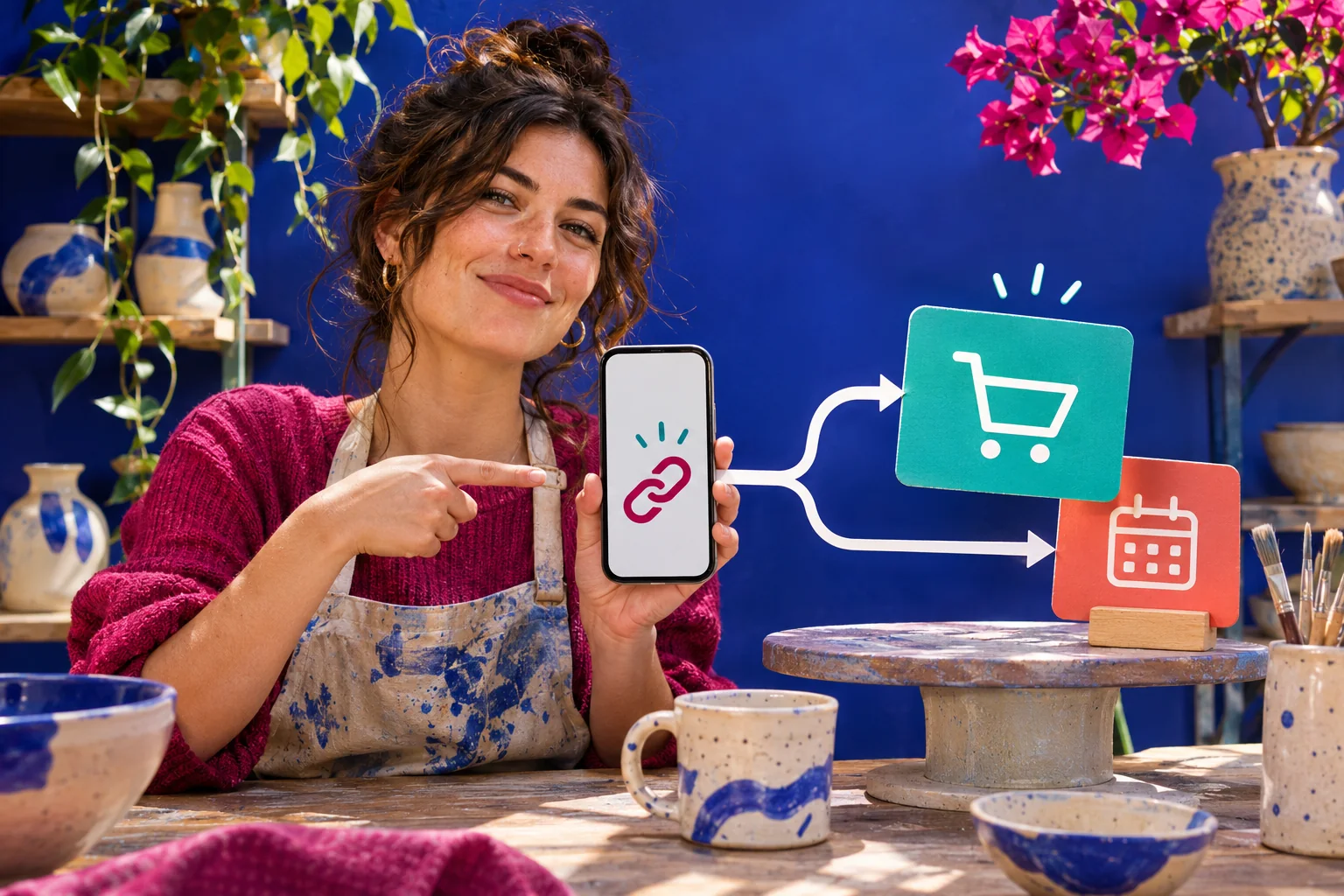
The first visible destination should carry the main current task. On the planning image, a shop card sits ahead of booking and reading cards. A real account might reverse that order when bookings are the priority. Write each option as a visitor action: 'Shop the new mugs', 'See class dates' or 'Read care instructions'. Avoid identical labels such as 'Website', 'More' and 'Click here' repeated several times. The title should match the page that opens, including any limitations a visitor needs before paying or booking.
Secondary links earn their place when they answer a different question. A maker may need shop, workshop dates and care guide; a consultant may need booking, services and a verified contact route. Five versions of the same sales page create choice without utility. The exact number and presentation of links can change with the app and account, so use the current Links panel as the authority on what can be added and reordered. Keep the plan useful if fewer options are available than you expected.
A small priority test is enough: ask a colleague who has not seen the plan to look at the profile for ten seconds and say where they would tap for a mug or a class. Do not coach them. If they choose the wrong route, revise the label or order, then test again. This is a usability check, not evidence that visitors will buy or that Instagram will show the account more often.
- Name the one task a new visitor should be able to finish today.
- Write the direct destination for that task before selecting extra links.
- Keep secondary choices only if they answer a separate, current need.

Add or change the link in the current app
Instagram's dedicated Help Center page is the best reference for the current profile website control. In the mobile app, open the intended profile, choose Edit profile and look for Links. Add the complete external address through the available link option, give it a meaningful title if the control permits one, and save. Menu labels can differ by phone, language and app version; use what the current official Instagram app shows instead of trusting an old screenshot. Verify that you are editing the correct account before replacing an existing business destination.
Paste the full address, including the secure https form used by the destination. Do not assume that a short fragment such as 'myshop' or a handle belongs in the URL field. If the page has tracking parameters, keep the readable destination intact and test the final URL before making it public. A long tracking string can obscure where a tap goes, and a broken parameter or redirect can strand a visitor. Save the source address privately so the team can repair it without guessing later.
After the app says the change is saved, leave the editor. Look at the public profile, tap the link and read the page that opens. An editor preview can make a link look present even when the visitor-facing experience has not updated yet. For a team account, ask the owner and the person responsible for the destination to agree on the change, especially when it replaces a seasonal offer or a support route.
- Open the intended account's profile in the current Instagram app and choose Edit profile.
- Use Links, add the complete external address and a clear title where your app offers one.
- Save, reopen the public profile and tap the destination as a visitor would.
Decide between native links and one owned page
Native Instagram profile links are simple when the account has a small, stable set of destinations. A direct shop page and a separate booking page can be enough. An owned landing page becomes useful when several resources change often but the profile should keep one address. That page can explain the choices in your own words, use your own domain and be updated without asking every teammate to change the Instagram profile. The table above compares these routes by job rather than treating one as a universal growth trick.
An owned page still needs care. Put the most useful action near the top, keep labels plain, provide a contact or correction route and test each onward link. A page with twenty buttons, repeated offers and no obvious answer simply moves the confusion one tap later. If your site has regional price or availability differences, take the visitor to the applicable version or explain the choice before checkout. Do not imply a landing page makes an ineligible Instagram feature available or bypasses platform rules.
A link service run by another company can be convenient, but it adds a dependency. Check its cost, data collection, branding, accessibility, page speed and whether you can keep a stable URL if you leave. For a business with an existing website, an owned page may be easier to maintain and audit. Choose based on the actual team and destination needs, not a claim that the link format improves Instagram recommendations.
Make titles, profile text and destination agree
The link label and page headline should answer the same question. If the label says 'Book Saturday pottery class', the destination should show the Saturday class or clearly explain its availability. A broad booking homepage with dozens of events is a weaker match. If the class has sold out, update the label and destination rather than leaving the same call to action until next month. For a product, check whether the pictured color or size is available on the final page before using that image in a post that points to the profile.
The bio can set context in a few words, while the Links area does the navigation. A profile might say 'Handmade ceramics and weekend classes. Shop or see dates below.' That is more helpful than pasting a raw URL into the bio copy and hoping it becomes a tap target. Keep the profile category, location and contact details accurate as well; a visitor may use those without opening the website. The Meta business-profile course treats these pieces as parts of a complete profile, not substitutes for one another.
For an account with visitors in more than one market, check the landing page's language, currency, delivery area and availability. A visitor who is shown a local offer should not be pushed into a different country's checkout without clear notice. The link is a bridge to a real service, so product facts, support and pricing on the destination matter. These are ordinary customer-experience checks, not claims about an algorithm.
Test the full mobile journey before sharing it
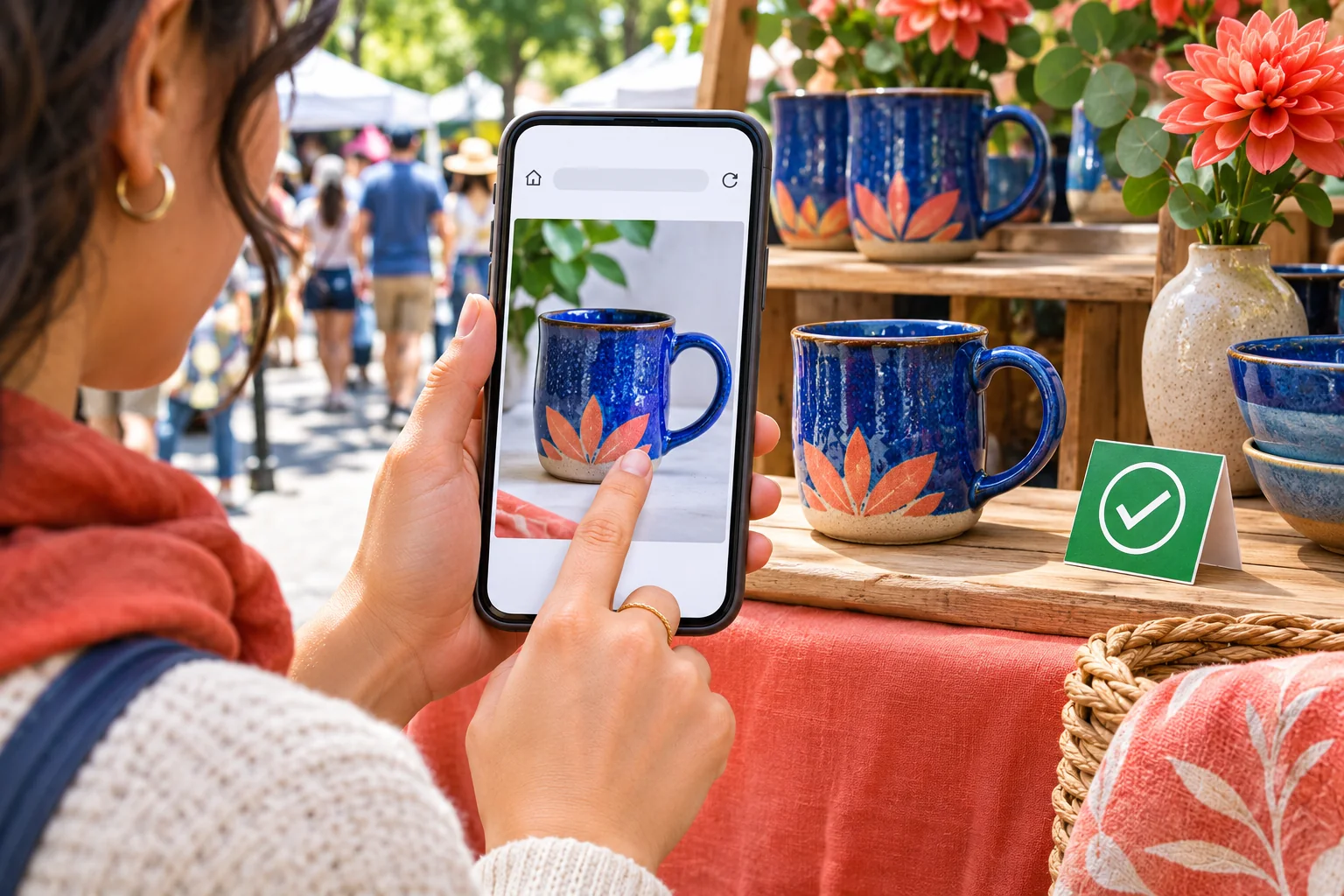
Open the public profile from a second account, or ask someone outside the editing team to do it. Tap the intended link on a phone and note the complete path: which link title was visible, whether the in-app browser opened, whether a redirect occurred, and what page finally loaded. The market-stall image shows the useful comparison: the mug on the web page should match the mug a shopper saw, while the checkmark card is a conceptual testing cue. The picture is not a screenshot of Instagram or a claim about real sales.
Continue past the first loaded screen. If the destination is a shop, can the visitor choose the relevant item and read the current price and delivery terms? If it is a booking page, are date, location, service and confirmation clear? If it is a newsletter, does the form explain what happens after signup? Check any login requirement and whether it was expected. A link that returns HTTP 200 can still send a reader to an unhelpful generic page or an out-of-stock item.
Test at least one route on a normal mobile connection and one on Wi-Fi if speed is important to the campaign. Do not report a fabricated loading time; just note where the experience becomes confusing or stalls. If a redirect changes the currency or strips the selected product, fix the destination configuration before asking visitors to use it. Ask the owner of the final page to sign off on the real transaction or enquiry route, since Instagram can only expose the link.
- Open the public profile from a second account or a fresh browser session.
- Tap the intended link and note each redirect, login screen and loading delay.
- Verify the final page's headline, product or service, and working next action.
Keep profile, Story and post instructions consistent
A profile link is persistent until you change it. A Story link sticker is a separate destination attached to that Story. A caption may tell people where to go, but you should check what links your current account can actually make tappable in that placement; feature access can change. If a Reel says 'class dates in bio' while the first profile link points to mugs, the next step is unclear. Either update the profile route before publishing or write a more precise instruction that matches what the visitor will see.
The existing Story link sticker guide covers creating and testing a Story-specific link. Use that when a limited-time Story needs a direct target, then still check the standing profile links if the campaign also mentions them. Scheduled posts need the same check: a caption prepared weeks earlier can point to a link that has since been replaced. Put a link review on the publish checklist beside the image, caption, offer terms and account selection.
Measure the path without inventing a result
Start with observable stages: a person sees the profile, taps a link, loads the destination, and completes an action such as viewing a product, booking or sending a verified enquiry. Those stages are not interchangeable. A profile visit is not a website visit; a website visit is not an order. Use the data your own site and Instagram account actually make available, with the definitions shown there. Do not infer a sale from a higher follower count or from an unlabelled spike in one chart.
A small business can record the exact destination and a weekly check date, then compare whether the page and offer stayed live. If it has lawful, working site analytics, it may examine visits to that page, but attribution can be incomplete when browsers, privacy choices and other traffic sources are involved. For a campaign, a tagged link can help distinguish one promoted route, provided the tag survives the final redirect and does not make the URL unusable. Do not invent conversion percentages from a sample of a few taps.
Here is a better decision question than 'Did the link boost us?': Which visitor task was the first link supposed to serve, and where did real people get stuck? If several people reached a stale product page, fix it. If they opened the correct page but could not find a delivery answer, improve that page. If they never found the link, clarify the profile or campaign wording. Each diagnosis leads to a concrete change without claiming that an Instagram setting guarantees performance.
Diagnose a link that is absent or goes wrong
First check the simple placement error: is the URL saved in Edit profile's Links area, or only typed into the bio sentence? Reopen the account's current profile editor and confirm the address, title and account selection. If the owner sees a link but a visitor does not, check from a fresh public view and give the app a moment to load. Avoid deleting every link or changing account type blindly; document the exact mismatch first. Current Instagram Help is the right place to compare menu labels if your screen differs.
If the link is visible but fails, copy its destination into a browser and inspect the final address. A typo, expired campaign page, deleted product, broken redirect, missing HTTPS certificate or account-only login can sit outside Instagram. If the site works in one browser but not the in-app browser, record the device, app version and error message for the site team. The goal is to find which part of the journey broke, not to assume an Instagram penalty or suggest that buying followers repairs the URL.
Treat unusual 'link fixing' messages as a security risk. A stranger who asks for your Instagram password, recovery code or administrative access to repair a profile link is not needed for a normal link edit. Use the account's own settings and official help; ask the website owner to repair website problems. After a fix, retest with an ordinary visitor account and update any scheduled caption or printed asset that still points to the old destination.
- Confirm the link is in the Links field, not only in bio text.
- Check the complete address and whether the final page itself is available.
- Compare a public visitor's path with the account owner's view before changing settings.
Keep the link map current and independent of growth claims
Give one person ownership of each destination and a simple review trigger. A product launch, new class date, policy change, expired offer, domain move or changed username is enough reason to retest. In a five-minute weekly sweep, open the profile, tap every active link, check the first screen and confirm that the page's next action still works. Longer audits can follow when a campaign changes. Keep a short list of who can update the site and who can edit Instagram so a broken route does not wait for the wrong person.
The route should still be understandable to someone who arrived for the first time. A fictional ceramics maker uses a shop link first during a mug release and a class-dates link second. After the release sells through, the maker changes the first title to the current shop collection and checks the page on a phone. No fabricated click total or conversion rate is needed to show why that update matters. The visitor sees a truthful current choice and the team knows which page owns it.
Profile-link work is an ordinary usability and service task. A follower package, if the business chooses one separately, does not guarantee traffic through the link, reach, enquiries or orders. Compare its terms and the profile's readiness on their own merits. A clear destination helps a real visitor complete a real task; the business remains responsible for the quality of that destination and its promise.
Frequently asked questions
Where do I add a clickable website link on Instagram?+
Use the dedicated Links area in Edit profile in the current Instagram app, then open the public profile and tap the saved destination. A raw URL in the bio text is a separate field.
How many links can I add to my Instagram profile?+
Instagram supports multiple profile links, but the number and options shown can change with the app and account. Use the current Links panel and Instagram's Help Center for the applicable limit instead of planning around an old screenshot.
Does a personal account need to switch to business to add a profile link?+
Do not switch account type just because an old tutorial says so. Check the current Links control on the account and Instagram Help. A business account adds separate business tools and contact options; it is a different decision.
Should the first link open my homepage or a product page?+
Choose the page that answers the visitor's current task. A direct product page fits a specific product campaign; a well-organised homepage can fit a broader introduction. Test the result on a phone.
Is a Story link sticker the same as a profile link?+
No. A Story sticker belongs to that Story and can point to its own destination. A profile link stays on the profile until edited. Check both routes when a campaign mentions both.
Why is my Instagram bio link not clickable?+
Check whether the address is in Edit profile's Links field rather than only the bio text. Then test the full URL, final page and public view. A broken website or redirect may be the cause even when the link is visible.
Can I change a profile link after publishing a Reel?+
Yes, but check the Reel's wording first. If it says where a visitor should tap, keep the current profile link aligned with that promise and test the destination after editing.
Will more profile links increase reach or sales?+
No such outcome follows from a link count. Links make navigation possible; visibility, visitor intent, page quality and many other factors determine what happens next. Measure observable steps without inventing a result.
Compare Instagram Followers packages.
Prepare the public destination, then review the quantity and terms that fit your goal.
Compare Instagram follower packages separately