Standard
Facebook Page Likes500
$12.00USD price
- Target: Facebook Page URL
- One selected public destination
- Secure direct checkout
Put your Facebook Page in focus. Compare Page likes packages, choose a quantity, and prepare the public Page link that leads visitors straight to your brand.
Compare package quantities and USD prices for your Page. Each card shows its quantity and USD price.
Select a service tier, then choose the quantity that fits your destination.
Want to explore a smaller request? See the 50-like sample page and its queue details.
A Page like is connected to the Page itself. It gives visitors a Page-level signal alongside your name, description, posts, and other public information. That makes the Page URL the starting point for choosing a likes package.
The word “likes” can also describe reactions on an individual Facebook post. These are different destinations: the Page for Page likes and the specific update for post likes. If you are comparing the two, look first at where you want the count to appear.
Facebook supports liking or following a Page, and its Page experience can show those actions differently. Check the visible metric on your Page before choosing a package.

A Page gives people a place to learn about your brand. Treat the like count as one visible part of that complete destination.
Visitors arrive from search, a shared link, a post, or your website. A clear Page name, recognizable image, description, and active content tell them where they have landed. Page likes sit beside that context and are easier to understand when the Page itself is complete.
A new business, community, or campaign often has several Facebook links. Decide which Page represents the project, confirm its public URL, and use the same destination when reviewing packages. This keeps the Page like goal separate from any one launch post.
Page likes, followers, post reactions, and video views answer different questions. Comparing them as separate metrics helps you plan where to send attention next, whether you are building the Page presence or featuring a specific update.
“Buy Facebook likes” can mean two things. Choose the destination that matches the count you want to focus on.
Page interfaces and available counts can vary. Facebook’s help page explains that people may be invited to like or follow a Page; check the metric shown on yours.
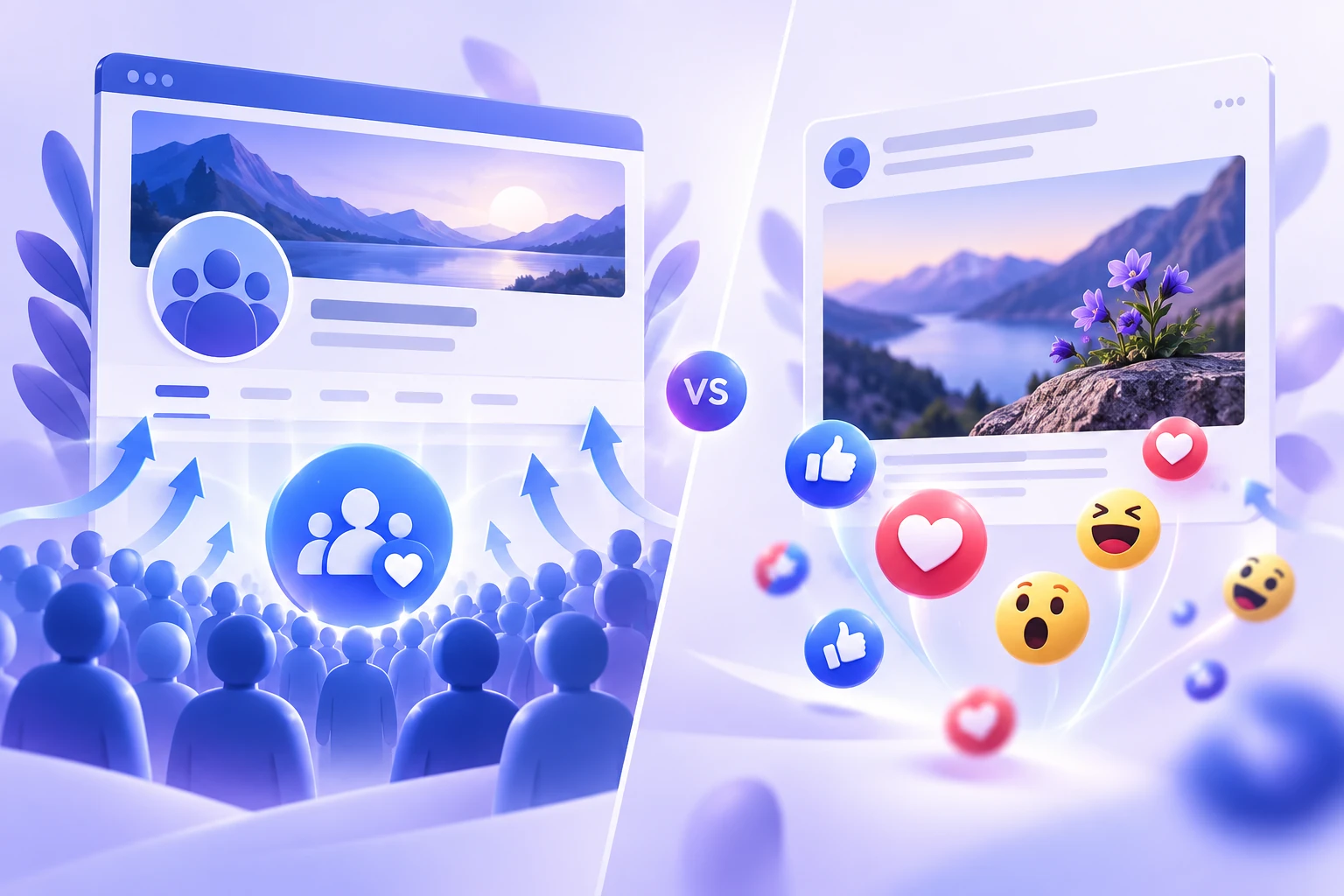
A Page like package starts with the Page home address. A post like package starts with the link to one specific update. You can share both links with visitors, but they lead to different places and support different goals.
Use the address of the business, brand, community, or creator Page whose like metric you want to feature.
Use the direct link to the photo, announcement, or other public post you want to highlight.
Use the separate followers service when following is the metric shown on your Page or eligible public profile.
Start with the Page you want to promote, then compare quantities and terms against its current stage.
Complete the Page details first: use a recognizable profile image, explain the Page’s topic, and publish content that gives visitors a reason to look around. When the destination is ready, a smaller sample package can help you review the ordering process and the metric shown on the Page.
Keep the exact public Page URL and a note of the like count before selecting a package. If the Page emphasizes followers, compare the followers option before making your choice.
An active Page may already have a description, posts, community conversations, and a visible audience. Compare the package quantities in the context of that existing Page and the campaign you are running.
Review the destination, quantity, and terms together. When attention should go to one specific announcement or video, use the separate post likes or video views service.
A Page like count is one part of the first impression. Visitors also notice the Page image, description, recent posts, contact information, and how clearly the Page explains its purpose. Put those elements in place before inviting more attention.
Plan what happens after a visitor opens your Page. A business may want people to browse products or contact the team; a creator may want them to see a pinned post or new video. Use the Page’s public information to point people toward that next step.
If you publish regularly, review reactions and comments on individual posts as separate feedback. Our free Facebook engagement calculator can help you read those numbers alongside your audience.

Prepare the Page destination, then compare the package details that fit your goal.
Find the public Facebook Page whose like count you want to focus on.
Check the Page name and verify that the link opens the intended Page.
Review the package size and terms in the catalog.
Keep your public Page link ready for the package you select.
Choose the metric and destination first. Then select the package that matches it.
The Page likes catalog focuses on a single public Facebook Page. You can verify the link before you choose a package and keep the order details tied to that destination.
A public Page URL identifies the destination. You do not need to share your Facebook password to compare packages or prepare a Page likes order.
Check the destination with our Facebook link checker, then explore the engagement calculator to look at post activity separately.
Customer feedback about facebook page likes from the recent HitsBoost review collection.
I decided to buy Facebook page likes for a new business page that was starting from zero. The process was easy and the likes started coming in pretty quickly.
I needed to buy Facebook page likes before promoting my page to a larger audience. Ordering was straightforward and everything worked smoothly.
I wanted to buy Facebook page likes to give my recently launched page a more established look. Delivery started quickly and the whole experience was hassle-free.
This was my first time trying to buy Facebook page likes. I just entered my page details, selected the package and placed the order. Really simple process.
After comparing a few options, I decided to buy Facebook page likes here. The instructions were clear and I started noticing the likes shortly after ordering.
I chose to buy Facebook page likes because our company had just launched its Facebook presence. It helped the page look less empty while we worked on growing it organically.
I needed to buy Facebook page likes for a page we were preparing for a campaign. Checkout was easy and I didn’t run into any problems with the order.
I decided to buy Facebook page likes after launching a new brand page. Delivery started faster than I expected and the ordering process was very straightforward.
Answers about Page links, package sizes, account access, and the difference between Page likes and post likes.
Need help? Chat with support 24/7 ↗Choose a Page likes package and prepare the public URL of the Facebook Page you want to target. Check that the Page supports the like metric before selecting a package.
No. Page likes are associated with a Facebook Page. Post likes are reactions on one specific update. HitsBoost offers separate pages for these two destinations.
They are distinct Page-level actions. Facebook Page interfaces vary, so check which count your Page displays and choose the service that matches your goal.
This Page likes service is designed for a Facebook Page URL. For an eligible public profile audience, compare the Facebook followers service instead.
No. The destination is identified by its public Page link. You should never place an account password in an order form or link.
Open the exact Page in a browser and copy its address. Check the Page name and profile image so you do not accidentally submit a post or a similarly named Page.
Yes. This page lists Page likes quantities and USD prices. Compare the listed quantities and USD prices on this page.
A Page like and a reaction on a particular post are separate metrics. Choose the Facebook post likes service if you want to target one post.
Timing depends on the package and order queue. Review the live package details for the timing associated with your choice when checkout is available.
A business or agency can prepare the public URL for a client Page it is authorized to promote. Confirm the destination and selected metric with the client before ordering.
HitsBoost has a separate page for a 50-like sample request. Read its eligibility and queue details before submitting the public destination link.
Use the HitsBoost contact page for support. The free Facebook link checker can also help identify whether you have copied a Page or post URL.
Three simple checks help you keep the package aligned with your Page.
Open the Page in a browser and copy its address. Verify the Page name and image, especially if you manage more than one Page or if similar names exist. A post, photo, or video link leads to a different destination.
Try the Facebook link checker if you want to identify the URL type before choosing a package.
Facebook Page interfaces vary, and some Page experiences emphasize followers. Look at the metric displayed on your own Page, then compare the Page likes and followers services accordingly.
Keep Page likes distinct from reactions on individual posts. The post likes page covers those updates.
A package is defined by its metric, quantity, destination, and terms. Review all four before moving to checkout. Compare the listed USD prices and quantities; review the quantity and USD price that fit your Page.
A separate 50-like sample request is available with its own queue information.
Choose your public Page and review the quantity that fits your plan.
We use Google Analytics and Ahrefs to understand visits and improve HitsBoost. The site and checkout links work if you decline. You can change this choice later in the footer. Cookie details.