

Choose the right Instagram action for the job
| What you need | Use this first | Important boundary |
|---|---|---|
| Credit a person in your temporary Story | A selected @mention in the Story | Check the handle and whether the account permits mentions |
| Give two accounts joint credit on one feed post or Reel | A Collab invitation if eligible | The invite must be accepted; Stories do not use Collab coauthoring |
| Refer a viewer to a web page | A Story link sticker | A mention links to an Instagram account, not an outside URL |
| Show a customer's photo on your business account | Permission and an approved publishing plan | A mention alone does not grant usage rights |
| Share someone else's active Story | The app's available Story sharing route | Check source audience, sharing permission and whether the Story is still live |
Understand what a Story mention actually does
An @mention in an Instagram Story identifies an account in a temporary photo or video. Instagram's Help Center says a selected mention can appear underlined and give someone viewing the Story a way to open the named profile. The account mentioned may also receive a notification and a message preview. That is useful when the Story shows someone's actual work or involvement. It is less useful when the name has no clear relationship to the material. The audience that can view the Story still depends on the author's account and Story choices; putting a handle on a frame does not turn a private Story into a public one by itself.
Three similar-looking actions cause confusion. A Story mention is a profile reference inside a Story. A tag on a feed photo or Reel attaches an account to that post under its own controls. A Collab invitation asks another account to accept coauthor credit on a suitable feed post or Reel. Instagram's Collab guidance says Stories can mention other accounts but cannot add collaborators. If two artists created a vase and want an accepted joint feed post, consider the Collab route. If a shop is simply acknowledging the artist in a short Story about the vase, use a mention and describe the contribution accurately.
Decide whether the person belongs in this Story
Before opening the composer, ask why the account is being named. A maker who supplied the item, a photographer who created an approved image, an event organiser who confirmed the schedule or a guest who agreed to be introduced can all have a clear role. A random popular account does not. Mentioning someone to seek attention can send an unwanted alert and make the Story look misleading. Write the intended relationship in plain words for your internal check: 'photograph by', 'workshop hosted with', or 'venue confirmed by'. If the sentence cannot be supported, pause.
Check the handle character by character. A dot, underscore or nearly identical display name can lead to the wrong account. Open the intended profile through the app rather than relying on an old campaign spreadsheet, and confirm that it belongs to the person or business involved. Then verify the visual and claim. If the photograph shows an old product or a withdrawn event date, a correct mention does not fix the inaccurate frame. When an individual is identifiable, have the needed approval to show them as well as the rights to the image or video. A customer tagging a business in their own Story does not automatically authorise the business to republish the customer's full image.
Add a working mention to a new Story
Open a Story draft on the account that will publish. Select the approved image or video, then use the current text or sticker controls to begin a mention. Instagram's Help page describes typing @ followed by the username and selecting the intended person from the suggestions. Some versions also offer a Mention sticker. The crucial step is selecting the account, not merely typing characters that look like @username on a graphic. A graphic can say the same name visually while having no tappable account link or recipient notification. Tap the selected mention in the preview if the composer allows you to check its target.
Place the mention where viewers can read it and where Story controls will not hide it. Do not cover the object, person, accessibility information or price with the handle. If the account is a photographer, a brief 'Photo by' in the Story text gives useful context; the actual @mention provides a route to the profile. Keep the Story readable on a phone. If the audience is Close Friends or another limited group, confirm that choice at the final share step. Any controls for allowing a named person to share the Story deserve a separate review, particularly when someone visible in the frame did not agree to a wider audience.
After publishing, open the Story from the author account and check the result. A failed mention, wrong profile, hidden text or inaccurate caption is easier to correct while the Story is active. If the app offers a way to add a mention after posting, inspect its current behavior carefully: a later notification may not put visible text on the already-published frame. Do not promise identical controls across iPhone, Android or every account. For important co-marketing, prepare and check the mention before the first share rather than planning to repair it later.
- Choose the approved photo or video and open a Story draft in the correct account.
- Type @ and select the intended account from the app's suggestions, or use the current Mention sticker if available.
- Check the selected profile and place the mention where it remains readable without covering important content.
- Review the Story audience and any sharing choice shown, then preview and publish only after the named person and facts are right.
Know what the mentioned account may receive
Instagram's Story mention help describes an alert and a direct-message preview for the named account. That preview is tied to a temporary Story and should not be treated as a permanent archive or proof that the other person saw it. Message routing can also differ when the accounts do not follow each other; a person may need to look at message requests. The safe operational plan is simple: if the other person's response matters, agree with them before posting and send a concise ordinary message with the context. A Story notification alone is a weak way to secure approval for a time-sensitive event or a rights decision.
A recipient can choose whether to respond, share when permitted, or do nothing. Do not describe the mention as an endorsement until the person has actually agreed to endorse the statement. Nor should you assume that every follower of the recipient will see a reshare. Instagram controls and the recipient's own audience and timing determine what can happen after they choose an action. If a business wants to acknowledge a collaborator's contribution, the Story should already do that accurately on its own; the collaborator's reshare is optional amplification, not the condition that makes the credit valid.
Control who can mention your account
Meta has explained that Instagram offers controls for who can tag or mention an account, including everyone, people the account follows or no one. Instagram's Help Center has a dedicated page for these choices. In the app, look for the current Tags and Mentions area under privacy or interaction settings, then read the options shown to your account. These controls matter when a creator receives irrelevant promotional mentions or harassment, and they also explain why a legitimate partner might be unable to choose your handle. It is the mentioned account's decision; the publisher should not ask for a privacy change without explaining why it is needed.
A business might allow mentions from everyone to discover customer Stories. That can increase the amount of material to review, including spam or mistaken tags. A smaller team may prefer people it follows and ask a genuine event partner to use an agreed route. No one setting is universally best. Review the likely volume, who checks the inbox, and how the team handles unwanted content. The setting for being mentioned is separate from the setting for having a feed post tagged, and manual approval of feed tags does not necessarily review each Story mention before the Story exists. Read the precise label instead of treating all account references as one switch.
Decide whether this Story may be reshared
The author of a Story has a separate sharing decision. Instagram's Story sharing help says people mentioned can reshare when the relevant setting permits it, and the current app can show controls in the Story composer or Sharing and reuse area. Other Story-to-Story sharing controls may also apply to public accounts. Check the live setting on the author account rather than relying on a remembered route or an old screenshot. The possibility of resharing is not the same as the recipient actually choosing to do it; do not promise a partner's audience will see the frame simply because the mention worked.
Think about the audience before turning sharing on. A market poster containing only public details may be suitable for an authorised partner to circulate. A private celebration, a customer face or a limited invitation may not be. Instagram's help warns that a reshare can reach the resharing account's followers, including people outside the original author's follower group, in some settings. If you are using a private or narrow Story audience, do not assume your intended boundary will survive someone else's share. Check the exact current permission and preview, then use a different approved asset if a wider audience would be inappropriate.
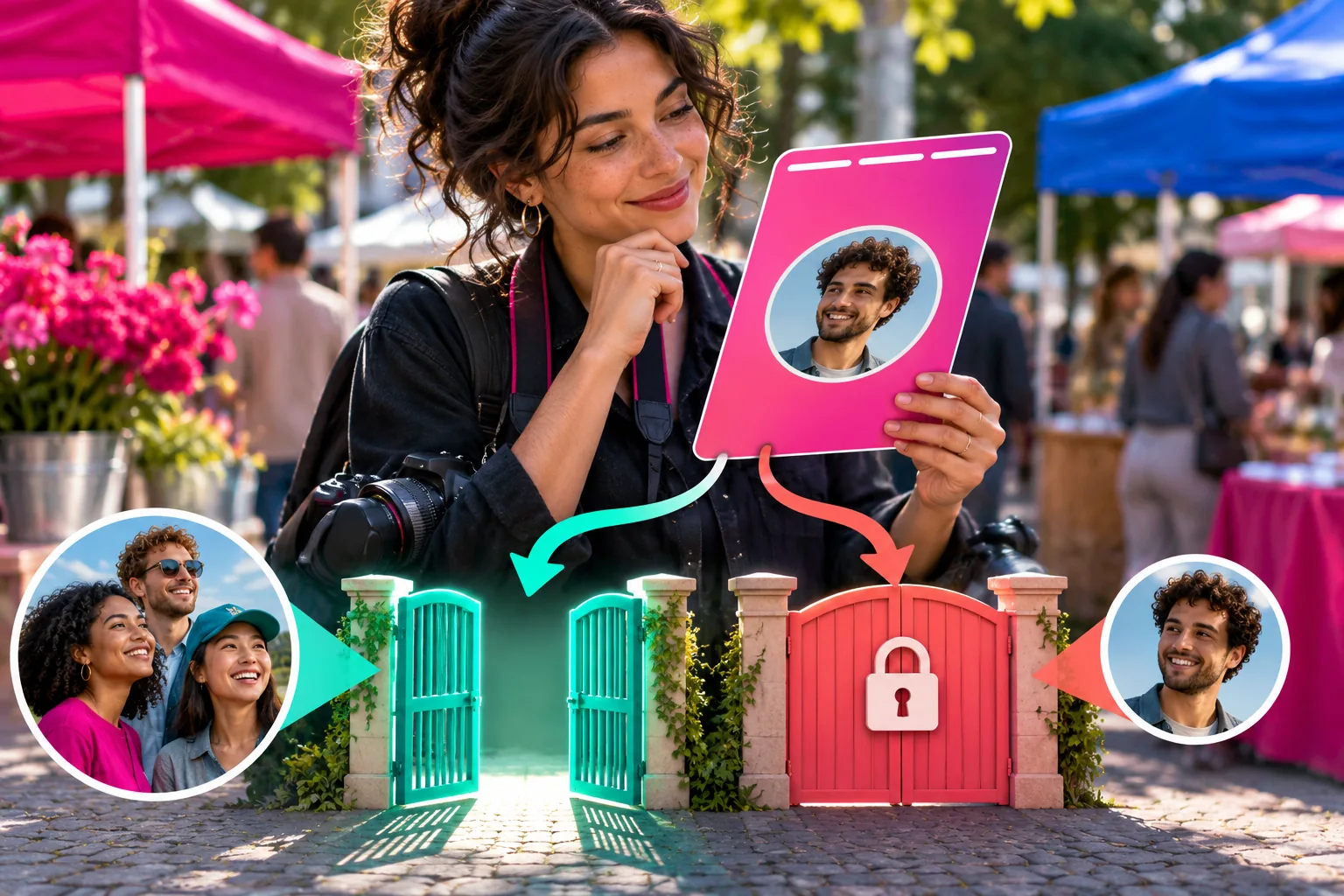
The illustration here represents a choice, not the appearance of an Instagram toggle. An open gate means the team explicitly accepts a wider sharing path for this frame; a closed gate means it keeps the Story within its intended audience. Neither guarantees complete control after a person has already seen the material. People can talk about it, save information or act on it. For sensitive content, the better decision is often not to publish it as a Story at all. For a public promotion, the author and partner can agree on a clean public version with facts and rights checked in advance.
Respond to a Story that mentions you
If someone mentions your account, review the notification and the direct-message conversation in the official app. Check message requests if the sender is not in your ordinary inbox. Open the active Story and inspect the entire frame, not only the preview. Ask: Is the account genuine? Is our business actually involved? Are the date, product, location and price correct? Does the visual show customers or staff whose appearance needs approval? A single bad detail can make a reshare misleading even when the mention itself is flattering. Do not assume that a story from a follower is safe to republish without review.
If the app offers Add to your Story or another Story-share route and the author permits it, preview the new Story before posting. The original account may be visible to your audience, but add context in your own words when it helps: what the project is, whether the information is current, and where a viewer should go for verified details. Do not crop away an important credit or turn a casual customer note into a testimonial. For rights-sensitive material, ask permission and keep the answer in your business records. If the Story is wrong, send a private correction or publish your own verified explanation instead of spreading the mistake.
Use the right action in a small collaboration
Imagine a ceramic studio preparing a Saturday market demonstration with an independent painter. The painter supplies an original vase and approves a photo. The studio checks the painter's current handle, confirms the market date with the organiser, and drafts a Story showing the vase with a short line explaining who painted it. It selects the painter's account as a real @mention, checks the target in preview and chooses a public Story because all displayed facts and faces are approved for a broad audience. The studio also asks the painter whether they would like to share this exact frame; that invitation is a courtesy, not a requirement.
The painter receives the mention and opens the Story. If the final image and event details are right, they can choose whether an available share option fits their own audience. They might instead answer with a short message or create an original Story of their own. The studio should not report that two audiences saw the same thing without checking actual posted copies. Nor does a reshare mean those viewers bought tickets, visited the market or followed the studio. The useful outcome is an accurate credit and a clear route for interested viewers to learn more.
Check the finished Story and record the basics
A short post-publication review catches problems while there is time to act. Open the published Story from the author account. Check that the selected handle is present and opens the intended profile, the image or video is legible, the audience is what the team chose, and any date or availability claim is still correct. Ask a colleague to view it from a second authorised account when the campaign matters. They may see a different audience outcome from the account that created the Story. If the mention did not work, use the current app's available correction or replacement route rather than layering repeated mistakes over the original.
Write down only the operational facts needed to judge the collaboration: who approved the image, which account published, which account was mentioned, when the Story went live, whether sharing was allowed and who will check replies. Do not collect private viewer identities in an unnecessary spreadsheet. The Story viewer or Insights figures belong to separate questions about exposure and response. A mention alert does not prove the partner saw the message, and a reshare does not prove that each follower saw it. Keep screenshots of consent or event facts in an access-controlled business record, not a public content folder.
Troubleshoot a missing mention or reshare option
Begin with what you can observe. Confirm the author and recipient are signed into the intended accounts; a team member may be looking at a personal profile. Confirm the Story is active and the account selected in the mention suggestion is correct. A typed label on a designed image can look like a handle while creating no working mention. If the handle cannot be selected, check whether the recipient permits mentions from this account, and whether either account has blocked the other. Meta explicitly describes mention controls, so a missing mention is not automatically an algorithm penalty or a device fault.
For a missing share action, check a different set of conditions: Is the source Story still live? Is the source account public or private? What audience did the author choose? Does the author's current Story-sharing setting permit this type of share? Does the recipient's account offer the relevant control? Look in the ordinary inbox and message requests for the mention preview, then open the source Story itself. Instagram has evolved its Story-to-Story sharing controls, so an older tutorial saying 'you must be tagged' or showing a fixed button location can be misleading. The button you need may have a different name, or a specific source Story may be ineligible.
- Confirm both people are using the intended Instagram accounts and the Story is still active.
- Check whether the handle was selected as a working mention and whether the recipient allows your account to mention them.
- Review the original author's Story sharing controls and the account privacy/audience context.
- Check the recipient's ordinary inbox and message requests; update the official app and consult current Help if the expected control remains absent.

Judge mentions by useful response, not assumed reach
A working mention is a small piece of navigation and attribution. It lets a viewer move to a relevant profile if the Story and account settings permit it. Measure the task it was meant to support: Did the partner see an accurate credit? Did viewers ask a useful question? Did the partner choose to share, and was the shared version correct? If the campaign had an external event page, use an appropriately labelled link and whatever legitimate site evidence is available to review visits separately. Do not add every Story view, share, follow and sale into one supposed result. The same person may appear in several places, and the connection between actions needs evidence.
For a studio, the next iteration may be a clearer credit, a better photograph of the object or an earlier review by the artist. For a creator, it may be a concise shared brief so a partner knows which Story is appropriate to pass on. A mention does not guarantee an alert is opened, a reshare is used, wider distribution is achieved, or a customer buys anything. The feature works best when it supports a truthful Story that already makes sense to a viewer who never taps the handle.
Frequently asked questions
How do I mention someone in an Instagram Story?+
In a Story draft, use the current text or Mention sticker control, enter @ and choose the intended account from Instagram's suggestions. Check the target, placement, audience and sharing choice in preview before publishing.
Is typing @username on an image enough?+
No. Text baked into an image can look like a handle without creating a tappable mention or notification. Select the account through the app's mention control and verify the published result.
Can someone reshare a Story I mentioned them in?+
Instagram's help says mentioned accounts can reshare when the relevant author settings permit it. Check the Story, audience and actual share choice in the current app; the recipient still decides whether to share.
Do Story mentions make another account a collaborator?+
No. A Story mention links to an account. An accepted Collab invitation is a different feed-post or Reel workflow, and Instagram's Collab guidance says Stories do not have collaborators.
Why can I not mention a particular account?+
Check the exact handle and whether that account allows mentions from everyone, people it follows, or no one. A block or account-specific restriction may also matter. Do not ask for a broad privacy change without explaining the real collaboration.
Why is Add to Story missing after someone mentioned me?+
Verify that the Story is active, the mention is a working account selection, the source author's sharing settings permit it, and your account and message requests show the Story. Current controls can differ; update the official app and consult Help before assuming a fault.
Can I share a public Story when I was not mentioned?+
Instagram's current help describes Story sharing options for eligible public accounts beyond the mention route. The source author can limit them. Check the actual Story share action and the author's permission instead of following an older blanket rule.
Does a private Story stay private if a mentioned person reshares it?+
Do not assume that. Instagram warns that a permitted reshare can reach the resharing account's followers. Check the current audience and sharing control before posting anything sensitive, or make a separate approved public frame.
Does a customer mention let a business republish the customer's photo?+
No. A mention is a profile reference, not a licence for reuse or a testimonial approval. Review the material and obtain the needed permission before placing it on a business Story.
Compare Instagram Followers packages.
Prepare the public destination, then review the quantity and terms that fit your goal.
Compare Instagram follower packages separately