

Choose the audience from the content and purpose, not from habit
| What you want to share | Likely audience choice | Check before posting |
|---|---|---|
| A public opening time or product launch | Ordinary Story or public post | Are the details confirmed and useful to everyone? |
| A rough creative preview for trusted peers | A reviewed Close Friends audience | Would every person on today's list be appropriate? |
| A customer's private order or contact details | Do not publish that information | Can you remove or anonymise it first? |
| A private invitation to a small event | Selected audience or direct message | Are capacity, permission and invite terms clear? |
| A personal update from a creator | A reviewed Close Friends audience | Would every person included expect this update? |
Understand what a Close Friends Story changes
Meta introduced Close Friends as a way to share a Story's photo or video with accounts the creator selected ahead of time, rather than the whole usual Story audience. It is an audience choice for a particular share, not a switch that turns every Instagram surface private. A visitor may still find the account, public posts or other public Stories according to their normal settings. Keep the question narrow: who is appropriate for this Story right now? If your aim is to change visibility for the whole account, that is a separate account-privacy decision.
A small creative preview, a personal update or a workshop invitation can fit a chosen audience. A sale announcement that every customer should see usually belongs in a wider channel. The audience tool does not decide whether the content is wise to publish. People who are allowed to view it may remember, describe or capture it. This is a sensible limit to assume, even if the app does not display every possible sharing action. For truly confidential health, staff or customer information, use an appropriate private channel instead of a Story.
The audience question also differs from measurement. A Close Friends Story can have views, but a count is not evidence that everyone on the list understood or wanted the message. If you need to know whether a small group can attend a workshop, ask them directly and give them a clear response route. The table above helps separate a private preview, a public announcement and information that should never be in a social post. Treat the table as a decision aid, not a claim that Instagram offers a separate button for every row.
Check which Story-audience controls your account has
Many older tutorials say every Instagram account has exactly one audience list. That is now too broad. Meta's 2018 Close Friends announcement described one list for an account at the time. In June 2026, Meta announced Instagram Plus, an optional subscription that can create multiple Story audience lists; it described sharing to everyone or one Close Friends list as the regular baseline. Availability can vary by subscription, rollout, region and app version. Use the list or audience choices actually shown in your account instead of assuming a screenshot from another account matches yours.
More lists can solve a real organisational problem: a creator might have one group of collaborators and another group of friends. They do not remove the need to inspect individual members. Naming a list 'customers' cannot prove every account on it has agreed to receive a private offer. Likewise, a free account's Close Friends list can work well for a small preview if the people and purpose match. There is no reason to buy an optional feature merely to make one thoughtful audience choice. Start with the audience you can manage reliably today.
Close Friends is also not interchangeable with other Instagram controls that mention friends. Meta's Instagram Map material lists Close Friends as one possible location-sharing audience, but Map location sharing is a separate opt-in feature with separate settings. A Story audience choice should not be treated as a location setting, a message-request rule, or a ranking preference. If a person asks, 'Will this also hide my location?', inspect the Map setting directly. Keep a written note of which surface you changed so a well-meant privacy adjustment does not create false confidence elsewhere.
Build and review the list around real people
Start with the next Story's purpose, then decide who genuinely needs to see it. For a maker testing a new glaze, a few trusted peers who can give useful feedback may be appropriate. A broad collection of past customers, suppliers and casual acquaintances is not the same thing as a trusted preview group. Do not add people simply because they are active, influential or likely to increase the view count. A selected audience works best when every inclusion has a reason the account owner could explain without embarrassment.
In Instagram's current app, look from your profile or Story audience controls for Close Friends or the available audience-list management screen. Meta's original explanation described finding Close Friends from the profile's side menu, choosing accounts, and editing the list later; exact labels and placement can change. Search for a person carefully, distinguish similar usernames and look at the account before adding it. Then scan the entire list, not just the latest additions. Someone who belonged on an earlier event preview may no longer belong on a personal or client-related update.
Meta said adding or removing someone from its original Close Friends list did not send that account a notification. That does not mean the audience is invisible: a person who actually sees a Close Friends Story can recognise it as selected content. Do not use a list as a secret way to test a relationship or deliberately exclude a customer while implying everyone received the same offer. A respectful audit asks whether the person would reasonably expect this kind of update and whether the account owner has the right to share it. If the answer is uncertain, leave them out or use a direct invitation with context.
- Name the purpose of the next Story before opening the audience list.
- Search for the exact people who should see it; remove anyone included only because an older Story had a different purpose.
- Check for duplicate-looking profiles or accounts you do not recognise before adding them.
- Pause if the Story requires a level of confidentiality that a social post cannot provide.

Choose the audience on the final Story share screen
Creating a list and sharing to that list are different actions. You can maintain a Close Friends audience but still post an ordinary Story if you choose the wider share option at the end. Meta's launch material described selecting the green Close Friends choice when posting a Story. Instagram may change the icon, label or screen order, especially for accounts with multiple Story lists. The dependable action is to read the audience choice in the current app immediately before sharing. Do not rely on the audience used for the previous Story or an old tutorial's exact tap sequence.
Use a short preflight routine: finish the Story, inspect each frame and sticker, decide the audience, then look again at both the content and selected share control. If the Story contains a link, open its destination separately; a private-looking Story can lead to a public webpage. If the Story includes a tag, location or mention, ask what information that reveals and whether the mentioned person agreed. An account assistant can do this check, but make one person responsible for the final audience choice so that a team does not assume somebody else checked it.
After posting, review the result in your own account. If the wrong audience was chosen, act promptly using the options available on that Story; do not assume you can silently convert a published public Story into a private one. Removing an erroneous post may reduce further exposure, but it cannot undo a view or capture that already happened. Record the mistake and adjust the workflow: perhaps the right fix is a second reviewer, clearer draft names or a policy that sensitive content is never prepared in the same session as a public announcement.
- Finish the image or video and review every frame, sticker, caption and link.
- Open the audience choice on the current Story share screen and select the intended list or Close Friends option.
- Recheck the visible audience indicator and the exact content before the final share action.
- After publishing, inspect the Story from your own account and correct or remove it if you chose the wrong audience.
Keep Close Friends separate from privacy and Highlights
An account's public or private setting governs broader profile visibility. Close Friends is the selected audience for particular content. Story hiding controls, blocking and restricting are different tools again. A person can be outside your Close Friends list but still see public material from a public account. A person in the list does not automatically get access to an unrelated direct message or a separately controlled location feature. If your objective is to stop a specific account from seeing any suitable material, review the relevant account and Story controls directly rather than assuming the list solves everything.
Highlights add another layer to consider. A Story can become part of a more lasting profile collection if you use the relevant Highlight controls. Before saving any selected-audience Story, inspect the app's current visibility and preview for that Highlight, especially if the content contains a time-limited invitation or a person who expected a short-lived update. Do not infer from the original Story audience alone how every future profile presentation will behave. If you cannot verify who will see it, leave it out of the Highlight until you can check. Our separate Highlights guide focuses on organising that profile feature.
Choose a useful small-group purpose, not a metric target
A creator can use Close Friends to ask a trusted group which of two lesson topics needs clarification, or to invite a small number of collaborators to inspect a draft before a public release. A local business might show a prototype to people who have agreed to give feedback. The point is relevance and a manageable conversation. Provide enough context for a person to reply honestly, and avoid treating inclusion as a reward they must repay with engagement. The list should be small because the content has a reason to be selective, not because scarcity sounds like a marketing trick.
Consider the ceramics studio example. The owner photographs an unfinished blue bowl and wants feedback on whether a short workshop should teach that glaze. She includes three collaborators who know the process and asks one specific question: 'Would a beginner understand this first step?' She does not show a customer's purchase record or suggest the prototype is for sale. After hearing the replies, she can make a public Story about a confirmed workshop date. The two Stories have different jobs and audiences, so their view counts should not be compared as if they were identical campaigns.
For a small customer group, be especially clear about what the invitation means. If places, prices or terms differ, say so accurately and consider whether a direct message or email would be a better channel for individual details. A Close Friends list is not a membership database, consent ledger or order system. Do not make an account feel they were promised permanent access because they once saw a preview. If the same useful announcement belongs to all customers, a normal Story or post is usually easier to explain and maintain.
Run a content and privacy check before publishing
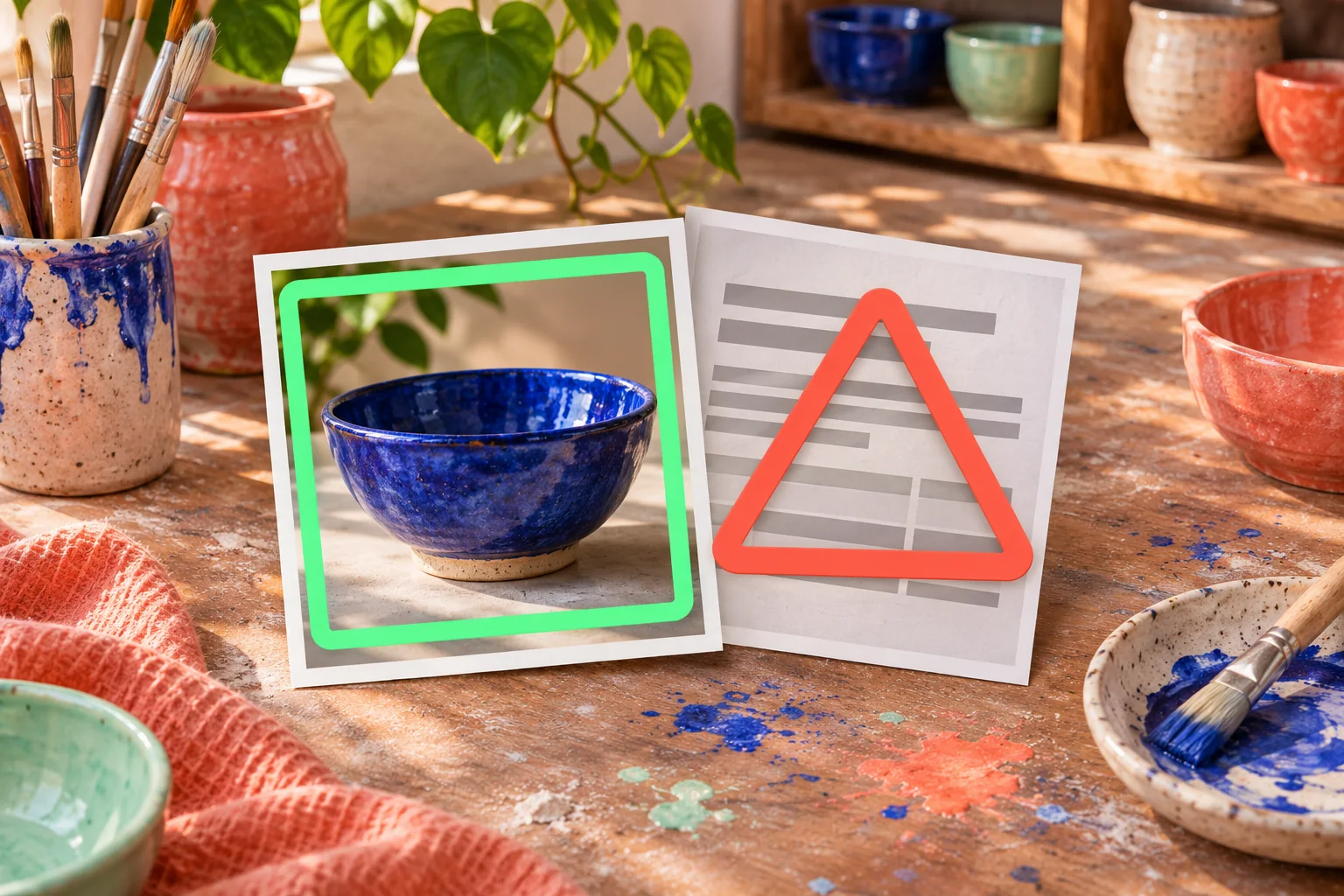
The smaller the audience, the easier it is to overlook what is visible inside the image. Zoom into every frame and scan for customer names, shipping labels, phone screens, appointment boards, house numbers, workplace access badges and background conversations. The pottery proof in the adjacent illustration is harmless on its own, but a customer's order slip beside it is not automatically suitable for a Story. Crop, blur or remove sensitive details at the source, then recheck the final exported Story. A sticker placed over a detail in one preview may shift or be removed in another version, so a clean source image is safer.
Check rights and expectations as well as identifying details. If a colleague, customer or child appears, obtain appropriate permission for that particular use. A tag does not substitute for permission, and a smaller list does not make a commercial claim or endorsement more accurate. If the Story offers a discount or limited invitation, verify the price, dates, capacity and conditions before sharing. Someone may act on the information quickly. A creator can say that a draft is a draft, but should not present an uncertain result as a promised outcome.
Finally, assume a viewer can describe or capture what they saw. Ask, 'Would this still be acceptable if the intended recipient forwarded the gist to someone else?' If the answer is no, move the conversation to a more suitable private channel or remove the sensitive part. A selected audience is useful for everyday discretion, not for legal confidentiality. Keep evidence of permission for customer examples and review the Story's destination link: the website, booking form or product page can have very different access and data-handling rules from the Story that introduced it.
- Remove names, addresses, order details, faces or location clues you lack permission to share.
- Check that any offer, deadline, price or invitation is accurate for the selected audience.
- Open any link yourself; a restricted Story does not automatically restrict its destination.
- Ask whether you would still be comfortable if a member repeated or captured the information elsewhere.
Learn from replies without overreading Story metrics
A small selected group can make response quality easier to evaluate. Read replies for specific feedback: which step confused a learner, which invitation detail was missing, or whether the question was too broad. If no one responds, do not assume the list is broken. People may be busy, the prompt may not invite an answer, or the group may not have the expertise you need. Ask one clear question and give members a way to decline. An audience list is not a commitment by its members to watch or reply.
Compare results only when the situations are comparable. A Close Friends Story and a public Story address different populations and purposes. A public event reminder might attract more viewers while the small-group prototype preview gets one valuable correction. Neither count alone tells you whether the communication was useful. Instagram's Story-view definitions and presentation can change, so use the current in-app context and our separate view guide if you need to interpret a number. Do not promise that changing the list will increase recommendations, reach, saves or purchases.
Troubleshoot missing controls and audience mistakes
If you cannot find Close Friends, confirm that you are editing a Story in the current Instagram app and that you are looking at the audience or list management area, not a saved image in your phone gallery. Update the app through its official store if needed, then check in-app Help. Availability and labels can change. If another creator shows multiple Story lists but you see only Close Friends, remember Meta announced multiple lists as an Instagram Plus feature; do not assume that a free account is broken or that every subscription benefit has appeared in every region.
If a person is missing from the list, search for their current exact handle and inspect the profile before adding it. If someone unexpectedly appears, remove the account and audit the rest of the list. Meta's original announcement said list edits did not send notifications, but do not promise that an existing Story's exposure will be retroactively undone by a later edit. If urgent, inspect the live Story and its available removal controls. For a mistaken public share, act as though a viewer could already have seen it, even if your own viewer list seems short.
Make a repeatable decision for the next Story
Before the next share, write one sentence each for purpose, people and risk. Purpose: 'I want feedback on an unfinished bowl photo.' People: 'Three collaborators who know the workshop.' Risk: 'No customer or location information appears.' If the three sentences are clear, review the actual list and final share screen. If they are vague, pause. The model is deliberately small enough for an individual creator to use, yet a business can put the same three fields into a publishing checklist. It catches a surprising number of avoidable audience mistakes.
For a public announcement, use the ordinary public-eligible Story workflow instead of dressing it up as a Close Friends exclusive. If you separately assess HitsBoost's Instagram Story views packages, check the current package requirements and only consider an eligible PUBLIC Story with a verifiable active target. Do not treat a Close Friends or otherwise restricted Story as eligible, and do not buy a count to replace audience consent, useful content or accurate information. Purchased views cannot guarantee replies, reach, recommendations, customers or sales. This commercial choice is distinct from managing a selected audience.
Frequently asked questions
How do I add people to Instagram Close Friends?+
In the current Instagram app, open your profile or Story audience management and look for Close Friends. Search for the correct accounts, review each profile, add the intended people and inspect the full list before posting. Meta originally described the list in the profile side menu; current labels can differ.
Will someone be notified if I add or remove them?+
Meta's original Close Friends announcement said list additions and removals do not send a notification. A person who sees a selected Story may still recognise that it was shared with a smaller audience, so do not treat membership as a secret.
Can I make more than one Close Friends or Story list?+
Meta's original free-account model described one Close Friends list. In 2026 Meta announced multiple Story audience lists for optional Instagram Plus subscribers. Check what your own account and region currently offer rather than assuming every account has the same controls.
Does Close Friends make my whole Instagram account private?+
No. It is a selected audience for a particular share, not the account-wide public or private setting. Check your profile, other posts, Story controls and location-sharing settings separately.
Can people share or screenshot a Close Friends Story?+
Plan as though an allowed viewer could describe, save or capture what they saw. A smaller audience is not a secrecy guarantee. Do not post sensitive customer, staff or personal information that would be harmful outside the group.
Why can't my friend see a Story I intended for them?+
Check the exact account on the list, the audience chosen on the final Story share screen and whether the Story is still available. App versions and account features vary. Do not assume a hidden algorithm penalty from one missing view.
Should a small business use Close Friends for every offer?+
Usually no. Use it when selected people have a real reason to receive a preview or invitation. Confirm terms and permission; use an ordinary public Story or direct communication when the information is meant for everyone or for one specific customer.
Can I use a Story views package on a Close Friends Story?+
Do not assume so. HitsBoost's Story views service is a separate commercial option for eligible public active Story targets under its current package conditions. A restricted Close Friends Story is not the public target described here. Buying a view count cannot ensure useful feedback or sales.
Compare Instagram Story Views packages.
Prepare the public destination, then review the quantity and terms that fit your goal.
Review public Story views package requirements