

Choose the content destination before comparing Facebook engagement services
| Content | Primary count to inspect | Useful companion measure | Destination to save |
|---|---|---|---|
| Announcement or photo post | Like reactions or clearly labelled total reactions | Comments, shares or relevant link actions | Direct link to the individual post |
| Video or eligible Reel | The specific view metric displayed | Viewing time, retention and responses where available | Direct link to the video |
| Active Story item | The Story view metric displayed | Replies or relevant actions where available | Link to the intended active Story item |
| Page identity | Followers or Page likes | Separate content reporting | Page-level public link |
Start with the content item and the question
Open the exact piece of content you want to evaluate. Name its format and then state the question: did people react to the announcement, start watching the tutorial, or view the event Story? This is a better starting point than a general request for more engagement. Each format gives people different ways to respond, and those responses should be interpreted in that context.
Choose one primary metric and a small set of companion measures. A photo announcement might use reactions as the primary count and relevant questions as context. A tutorial might use views with viewing duration. A temporary event update might use Story views with replies. None of those combinations automatically proves sales, but each creates a clearer review than an unnamed engagement score.
Keep the Page audience separate from the content result. A Page can gain followers while a particular post receives few reactions, or a post can attract reactions while the audience total barely changes. Our audience-metrics guide covers those broader layers. Here, the focus is choosing and reading the numbers attached to posts, videos and Stories so that content decisions remain specific.
Understand post likes and total reactions
A post like is the Like reaction on one item. Facebook also offers other reactions, and an interface or report may show their combined total. If a screenshot says reactions, record it as reactions rather than renaming it likes. This distinction is especially useful when a team member compares the public post with an owner report that groups actions differently.
Reactions can indicate that people acknowledged the content, but the context still matters. A customer might like a useful opening-hours update, laugh at a joke, or express concern about an announcement. Counting the response alone does not establish whether the message achieved its purpose. Read meaningful comments and look at the content before describing a reaction total as positive feedback.
A post likes service concerns the selected eligible post, rather than the whole Page. Use that post's own public link and check the action named by the package. It should not be evaluated as a follower campaign or a promise of comments, shares or purchases. If those other outcomes matter, record them separately and improve the post for the action you actually want visitors to take.
Explore Facebook Post LikesRead a video view count carefully
Views count activity under the definition used by the particular Facebook surface or report. A generic public label, a duration-based view metric and a monetization report can describe different things. Open the information or help text beside the figure when available. Do not apply a remembered three-second rule to every view label, because reporting names and supported metrics can change.
A view count is not automatically a count of unique people or completed watches. The definition may include activity differently from a unique-audience measure, and a person can watch without reaching the end. Record the precise metric name and use viewing time or retention information, where available, to understand how much of the message was consumed. A large count alone cannot answer that question.
When considering a video views package, select the intended eligible public video first. Confirm that its direct link opens the right item and read the service's scope. Watch duration is a different unit, so a views package should not be assumed to include a stated number of watch hours. The dedicated watch-hours guide explains how count and accumulated viewing time relate mathematically.
Treat Story views as a time-sensitive content metric
A Facebook Story is tied to a limited viewing window and its current availability. For a multi-item sequence, inspect the specific item you mean rather than using the Page address or assuming every frame receives the same attention. Record which Story item the count describes and when you checked it. This matters when later items were published after earlier items had already received views.
Use the audience and visibility controls appropriate to the Story. An owner seeing an item does not prove every intended visitor can access it. Check the active public destination and the service's eligibility requirements before selecting a package. A Story that has expired, been removed or become restricted is a different situation from an active item with a low view count.
Review replies and relevant actions alongside views when those reports are available. An event reminder may succeed when interested people ask for directions, even if another Story had a larger count. Save the owner report before it becomes difficult to retrieve and distinguish that reporting access from the public availability of the Story itself. The campaign note should identify the frame, its purpose and its review time.
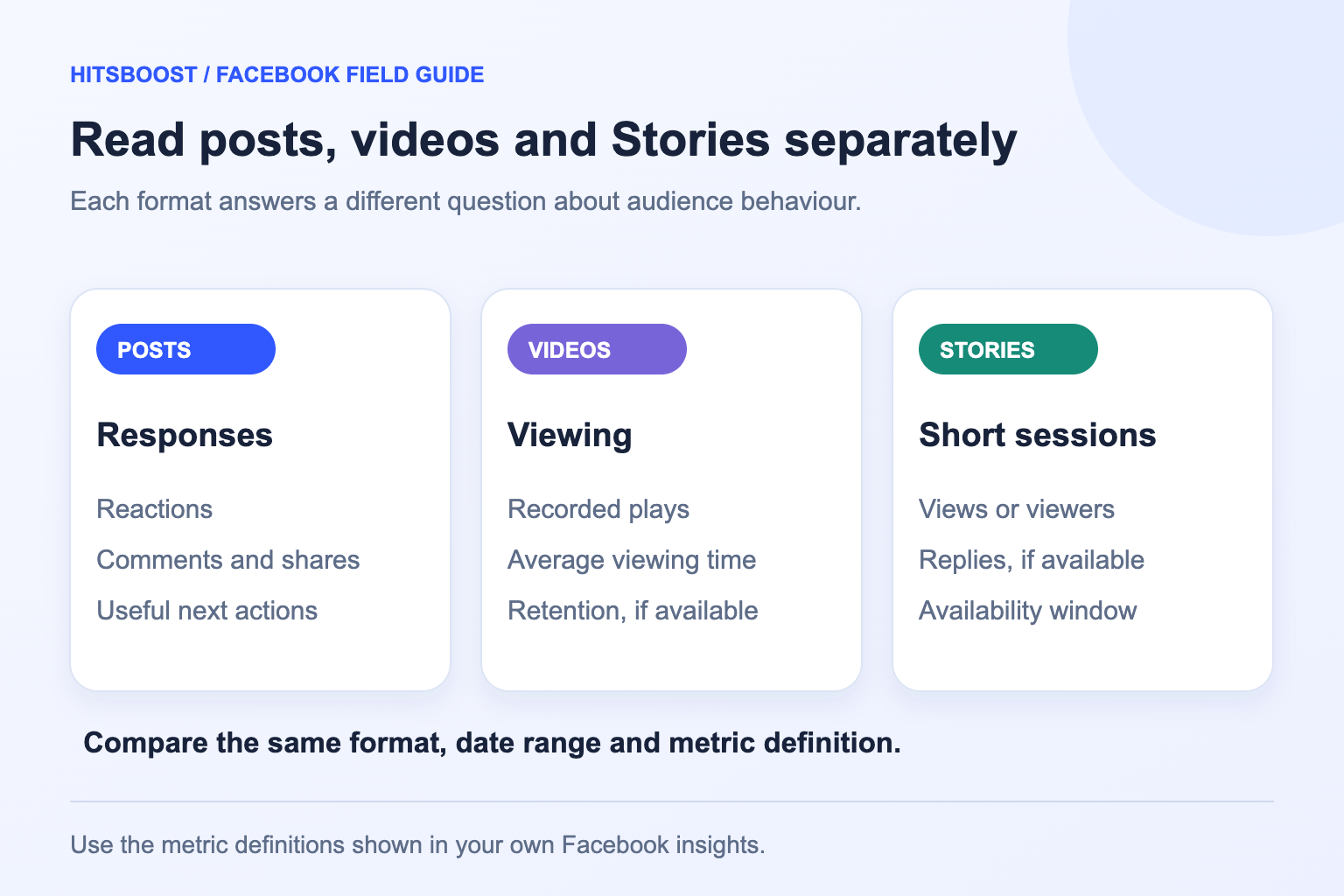
Give comments, shares and clicks their own meaning
A comment indicates a response, but not all comments provide the same information. A genuine question about a service can help identify confusion in the post; a repeated promotional message offers little evidence of interest. Read representative comments and note the topic or next action. Do not equate a high comment count with a universally positive audience response.
Shares can show that someone chose to pass content onward, while clicks describe a particular interaction according to the report's definition. A click on media, a link click and a recorded website action are not necessarily the same thing. If the objective is a booking or an enquiry, check the relevant booking or enquiry record rather than treating any click as a completed customer action.
For a concise report, choose the companion measures that explain your primary result. A customer-information post may need questions and relevant link actions; a tutorial may need viewing duration and useful comments. Leave unrelated measures out of the headline summary. The goal is to understand whether the content served people, not to assemble the largest possible collection of activity counts.
Create a baseline that another person can repeat
Save the content link, title or brief description, format, publication time and the exact metric labels. Add the observation time and reporting period. A starting count from the public post and an ending count from a filtered owner report may not be comparable. Use the same source for the before-and-after check or clearly explain why the source changed.
Decide how old the content should be at review. Comparing a video after two hours with another after two weeks gives the older item much more time to accumulate activity. For a small team, a consistent first review and later follow-up can be enough, provided the same ages and definitions are used. Stories need a schedule matched to their shorter active window.
Record the distribution context as well: whether the content was advertised, shared in an email, published during an event or supported by a service. These notes help explain what happened around the content without claiming a precise contribution from each source. Our Facebook link checker can help identify common destination types, but you should still open the item and confirm its identity yourself.
- Content format and direct public link.
- Exact metric label and reporting source.
- Publication time, observation time and selected date range.
- Starting count and comparable review count.
- Advertising, promotions and other campaign activity.
- One practical next action for the content team.
Compare formats without inventing a common score
A reaction requires a different action from a video view, and a Story view occurs in a different format from a feed announcement. Ten thousand views and five hundred reactions cannot simply be compared as two scores on the same scale. Compare similar posts first, then explain how each format contributes to the campaign's purpose. Keep the metric's unit visible beside every total.
Consider an illustrative class-launch campaign with a photo announcement, a demonstration video and a reminder Story. The photo receives 60 reactions and ten relevant questions; the video receives 1,500 reported views; the Story receives 300 reported views and four replies. Those are observations about different items. Adding those numbers into a single engaged-people total would be invalid because actions and people can overlap and the measures differ.
A useful summary would describe what each item accomplished and what needs improvement. Questions on the photo might suggest adding clearer pricing information. The video may need a watch-time review to find out whether viewers reached the demonstration. Story replies may reveal demand for another session. This format-specific interpretation produces practical changes without pretending that unlike counters represent the same experience.
Use engagement rates only with a named formula
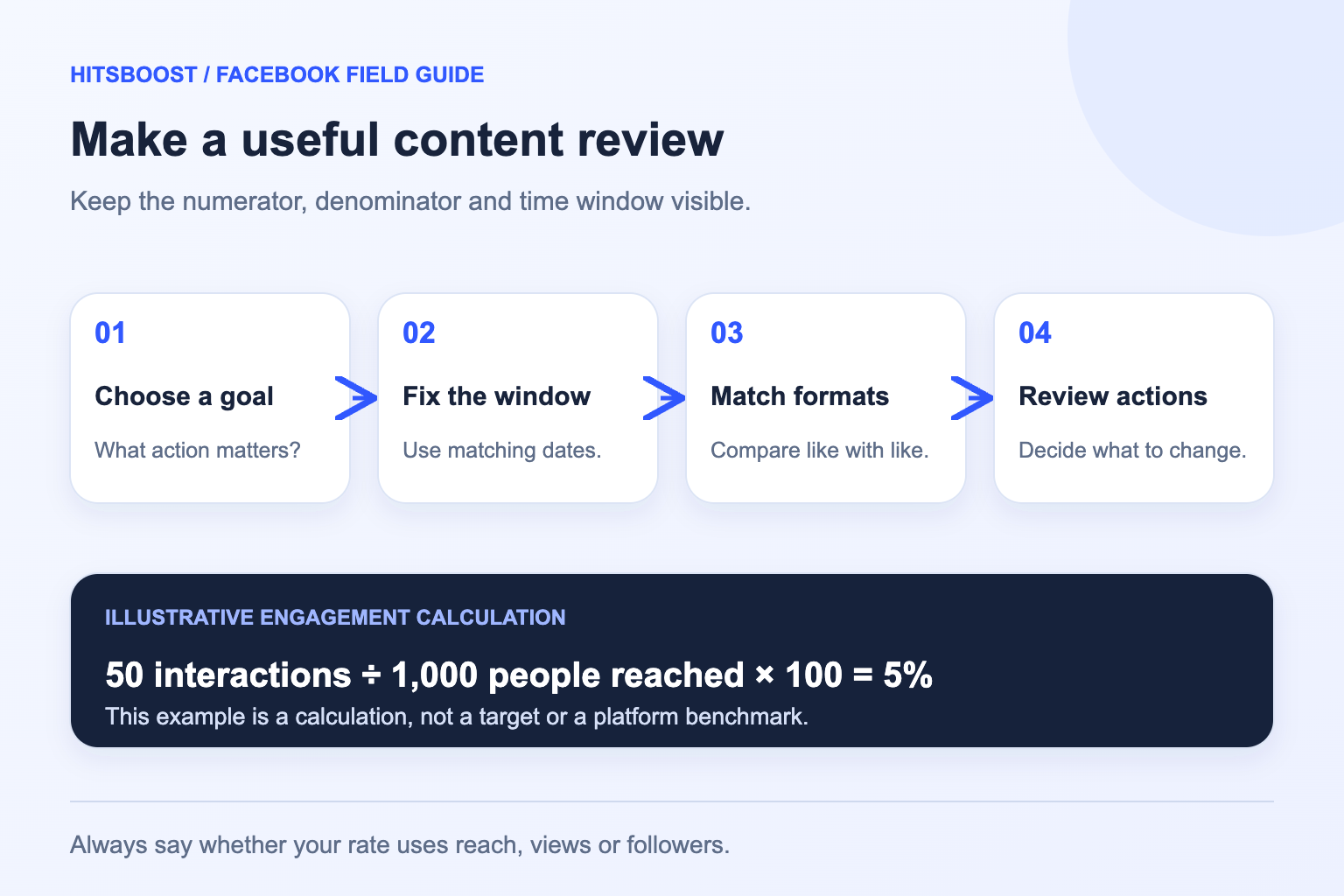
An engagement rate needs both a defined numerator and a defined denominator. For example, a team might divide its chosen post interactions by reported reach, when that metric is available, and multiply by 100. Another team might divide by followers. Those rates answer different questions and cannot be compared fairly without naming the formula, source and included actions.
Here is an illustrative calculation: a post has 40 reactions, eight comments and two shares, for 50 selected interactions. If its reported reach is 1,000 under the definition in the chosen report, 50 divided by 1,000 times 100 equals 5%. This is an interaction-to-reach ratio, not proof that 5% of unique people engaged once; one person may contribute several actions.
Use a consistent formula across similar content and note when the denominator is rounded, unavailable or measured differently. Our engagement-rate calculator helps with the arithmetic, but the meaning still depends on the inputs you choose. A calculated percentage cannot establish a universal quality threshold or prove that changing one count caused a change in another. Compare your own relevant history rather than an unsupported industry target.
Improve the next piece of content with one clear test
Look for a change that directly addresses the observed weakness. If people ask the same question under an announcement, add the missing answer to the next caption. If a video has many starts but little viewing time, inspect where the important information appears and whether the opening accurately describes the payoff. If Story replies ask where to book, make that next step easier to find.
Keep the comparison manageable. Change the opening, message or presentation of a comparable item while holding the purpose and review method reasonably steady. A single pair of posts does not prove a permanent rule, but repeated relevant observations can guide a content routine. Write down the planned change before publication so that the review does not become a search for whichever number improved afterward.
Treat caption generators and planning tools as drafting aids. Review suggested wording for accuracy, readability and relevance to the actual content. Avoid requests for artificial urgency or claims your business cannot support. The content should answer a real visitor question and make its intended action clear. That is a more useful improvement than adding irrelevant keywords or choosing a format solely because another Page reports a large count.
Match the service to the prepared content
Use post likes for the selected post's Like reactions, video views for the stated view objective on an eligible video, and Story views for the intended eligible active Story. Check the service description, quantity, public destination and delivery wording before payment. These choices are organized around different content items, so a general Page link is not a substitute for the correct individual destination.
Protect the content during the campaign. Avoid deleting or replacing the selected item without first considering the effect on your public link and order. Keep the confirmation and use the official support route if the destination becomes unavailable or the order needs review. A public-link service should not require your Facebook password or security code to identify an item.
Review the selected service against its stated metric and keep other expectations separate. Added reactions or views do not guarantee recommendations, complete watches, qualified leads or sales. Your final report should name what changed, the source, the period and the content decisions that follow. With that record, the next package choice and the next creative change both become easier to evaluate.
Frequently asked questions
Are Facebook likes and engagement the same thing?+
Likes are one possible reaction to a content item. Engagement can refer to a wider set of actions depending on the report or formula, such as reactions, comments and shares. Read the definition and state which actions you include. A Page like is also a different action from a like on a post.
Does a video view mean someone watched the whole video?+
No. Use the definition beside the view metric and check available watch-time or retention reporting separately. A view total does not automatically represent complete watches or unique people. Public views, duration-based reporting and qualified monetization views can use different definitions, so preserve the specific label.
Why do my Story frames have different view counts?+
They are separate items that can have different publication times, availability and viewing activity. Check the intended frame and the observation time before comparing counts. A difference alone does not explain a viewer's reason for leaving or prove a delivery problem. Use available owner reporting and the active Story link for context.
Can I compare reactions directly with video views?+
They describe different actions, so a higher raw number is not automatically a stronger result. Compare similar content using the same metric and review period first. In a campaign summary, explain the role of each format and record its own relevant responses rather than merging all counters into one audience total.
What is the best engagement-rate formula?+
Choose a formula that answers your reporting question and use it consistently. Name the included interactions, the denominator, the source and the period. A rate divided by reach differs from one divided by followers, and an action total may include multiple actions by one person. There is no single formula that answers every content question.
Which service fits my Facebook content?+
Choose post likes for one eligible post's Like reactions, video views for the stated view objective on an eligible video, or Story views for the intended eligible active Story. Verify the direct link and written requirements. Followers and Page likes concern audience-level destinations and should be recorded separately.
Compare Facebook Post Likes packages.
Prepare the public destination, then review the quantity and terms that fit your goal.
Compare Facebook post likes packages