A customer-photo permission and publication record
| Check | Question to answer | Keep with the record |
|---|---|---|
| Source | Who made the image, and is the original post still available? | Original link, creator contact and date checked |
| People and other work | Does it show identifiable people, children, artwork, music or private details? | What was checked and who must be asked separately |
| Scope | Is permission for one Story, a feed post, a website or a paid advert? | Exact channels, crop, caption, credit and any end date |
| Approval | Did the right person clearly agree to that proposed use? | Dated reply or agreed licence, not only a tag |
| Publication | Does the live post match the agreed use and describe the product accurately? | Live link, reviewer, date and any correction |
| Change | Where can a person request an edit or removal, and who will respond? | Request, affected placements, action and response |
Decide what the shop actually wants to share
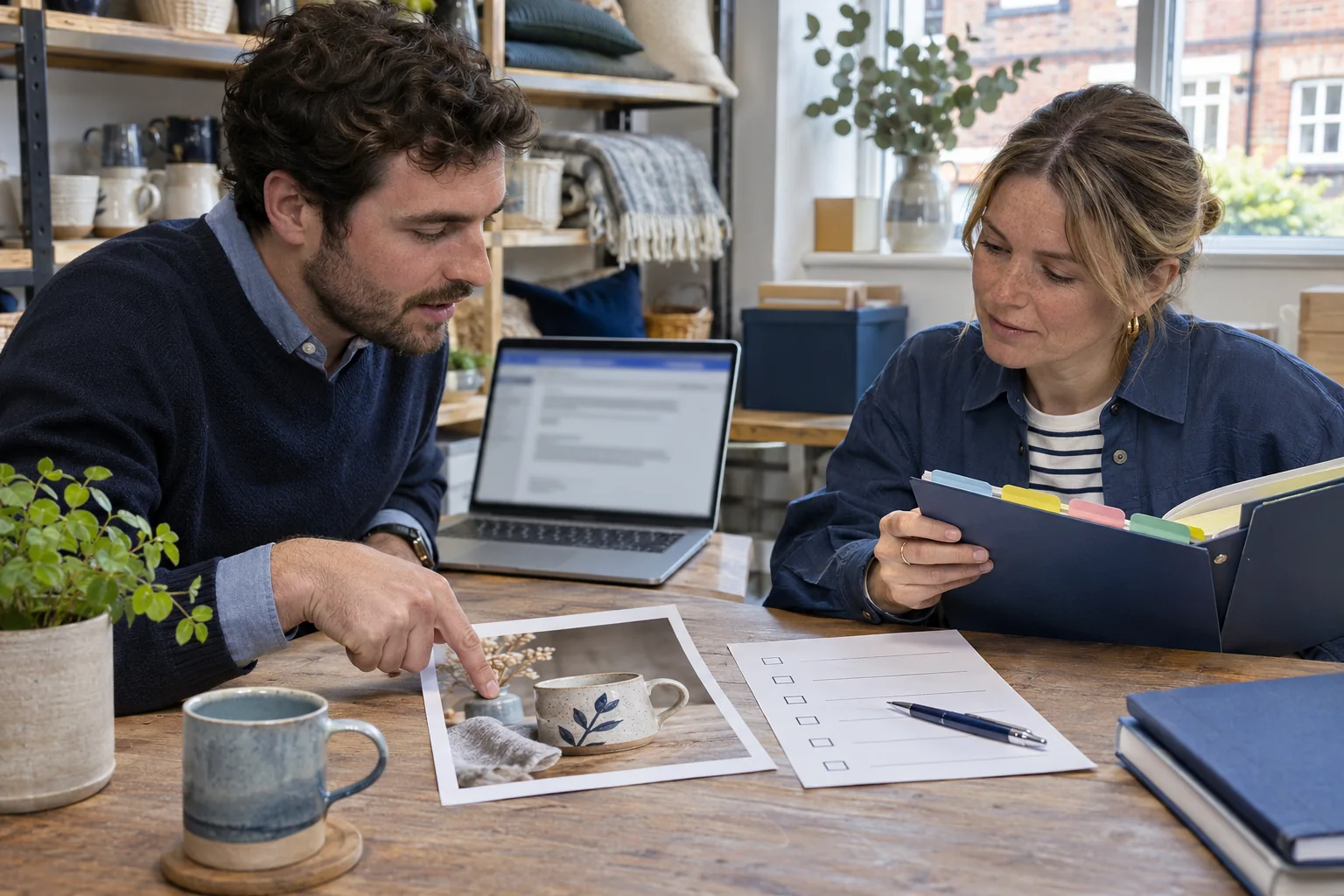
Begin with one specific image and one reason for using it. A Bristol ceramics shop might discover a customer's picture of a mug they bought. The shop could thank the customer in a comment, share a link to the original, use an Instagram sharing control, or make its own new post using a copy of the file. Those actions look similar to a viewer but have different implications for the creator and the people shown. Write down the intended action before asking anyone for permission. A vague request to 'use your content' is harder for a customer to understand than a request for one named image in one Story.
The example shop in this guide is fictional; it is not a HitsBoost customer case or measured result. Its staff want to show how the mug looks in a real home. They do not need to claim the customer endorses every product, that the image will bring sales, or that a public tag transfers the picture to the shop. The useful reader question is whether the shop can present the customer's work honestly and with enough permission for the placement it actually plans.
Find the creator and check what a public post allows
The UK Intellectual Property Office explains that photographs and other images are generally protected by copyright, and that copying or sharing an image online usually needs the copyright owner's permission unless a relevant licence or exception applies. A missing copyright symbol does not make a picture free to use. A tag, hashtag or direct message from a buyer does not necessarily establish that the buyer took the photograph or can license it. Ask who made the image and whether anyone else owns or licensed part of it. A customer may have paid a professional photographer, used a stock image, or borrowed a friend's picture.
Keep the original link and the creator's reply in a simple private record. If the customer says a photographer made it, ask for the photographer's terms rather than treating the customer as the owner. If the original contains prominent artwork, a poster or another creative work, consider whether a separate permission question arises. The IPO's image notice gives examples of more than one right appearing in one photograph. This guide cannot decide a particular exception or licence; if the rights are unclear, choose a photo your shop made or obtain advice for that specific use.
Do not assume that credit cures a missing permission. Naming the photographer is useful and may be part of an agreement, but it does not by itself grant a business a right to upload a copy. Nor does a customer's permission to show the photograph in a temporary Story automatically cover a permanent product-page image or a paid campaign. Use the recorded purpose and the creator's actual reply as the boundary for the planned publication.
- Save the original post link and identify who actually took or created the photo.
- List the shop's proposed use before asking for an answer.
- If ownership or permission is unclear, use your own content or link to the original instead.
Check people and private details before asking to post
A picture can raise a separate question about the people in it even when the photographer approves its use. The ICO explains that a social handle can identify a person, and its guidance says a recognisable person's photograph will often be personal data. For a shop, a customer face, a child in the background, a visible house number or a delivery label may matter more than the mug in the foreground. Examine the whole frame at full size, including reflections, screens and any caption that identifies a person. Do not assume that because a customer chose to publish an image on their own account, they agreed to business reuse elsewhere.
If the picture includes a child or someone who may not expect a business promotion, pause and use a different frame or obtain the appropriate permissions and privacy assessment for your situation. Cropping a face may help, but check whether the person remains identifiable through a name, location, uniform or other context. Avoid publishing a customer address, order number, private message or precise routine. The shop can often show the product without showing people at all, which makes both the message and the review easier.
A permission note from the image maker and a decision about personal data are related but distinct. An organisation should use its own privacy process to decide what notice, lawful basis, security and retention apply. This article offers a practical pause point, not a universal rule that consent is always the only possible legal basis. Where the facts are sensitive, ask the person responsible for privacy at the business before putting the image into a public or paid placement.
Ask for a clear, narrow permission and keep the answer
Make the request easy to answer. The ceramics shop could say: 'We like your photo of the blue mug from 2 November. Did you take it? May we share this exact image once on our Instagram feed, with your account credited in the caption, to show the mug in use? We would not use it in a paid ad or on our website without asking again. Please tell us if anyone else needs to approve the photograph.' This is a sample message, not a legal form. Adapt it to the actual image, use and people shown. Do not write a permission request that quietly includes every future medium.
If the customer agrees, save the dated answer with the original post link and the final wording of the request. A reply that simply says 'thanks' to a compliment is not the same as agreement to a new post. If the response narrows the use, respect that limit: for example, a Story only, no tag, no face, or a particular crop. If there is no clear answer, do not post a copy. A polite follow-up or a link to the customer's original may be enough while the shop creates its own image.
Make paid promotion a separate decision. A person may be comfortable with one organic post but not with their image appearing in a sponsored campaign or email. Ask again before changing channel, duration, audience, crop or message beyond the agreed scope. The record does not need to be complicated: image identifier, creator, approved placement, credit, changes, date and contact route. Restrict access to the staff who need it and keep it only under the business's normal retention process.
- Name the exact image and any crop or edit.
- List each channel and whether the use is an ordinary post or paid promotion.
- Agree on credit, duration and a contact route for a later question.
Choose a native share, a link or a new upload deliberately
Meta announced a native Instagram repost feature for public feed posts and Reels in 2025. Its announcement says native reposts credit the original poster and place the item in a separate profile tab. The feature began with a rollout, so check the controls on the account and the particular post today rather than assuming every shop and customer can use it. A native repost can preserve the visible connection to the original creator. It is not a reason to bypass a customer's expressed preference, and it does not turn a creator's picture into a file the business may upload anywhere.
An ordinary public link keeps a visitor at the original post and may be a better choice when the shop only wants to direct people to the customer's work. A screenshot or downloaded copy creates a new item controlled by the shop and needs the rights and privacy checks above. If the business wants to crop the picture into a product comparison, add a price, put it in a Story Highlight or use it on its website, describe those changes in the permission request. Do not rely on a vague 'repost' label when the planned act is actually a new upload or an advert.
Test the published route on another phone or logged-out view where practical. A private account, deleted original or changed sharing setting can affect what a viewer sees. If the native control is unavailable, choose a lawful and agreed alternative rather than searching for an untrusted tool to extract the file. Keep the original URL for credit and future checks. The separate link-copying guide explains how to distinguish a profile link from a post or Reel link when saving that source.
Credit the right person and preserve the actual context
Agree on how the creator wants to be identified. Some people want their handle linked; others prefer a first name or no public tag. The photographer may be someone other than the person who bought the product. Follow the actual agreement and check the handle before publishing so the credit does not point to another account. If a customer declines a tag, do not expose their private identity in the caption. Credit supports transparency and the creator's work, but it should sit beside the appropriate use permission, not replace it.
Describe the image for what it shows. A customer photograph of a mug on a table does not prove the item is handmade in a particular country, dishwasher-safe or available in a colour the shop no longer sells. Check product facts against the current listing. If the photo is a styled scene, say it is a customer photo rather than presenting it as an official product specification. Avoid cropping out information that changes its meaning or putting words in the customer's mouth. If the image came with a review, keep the quotation exact and separately check testimonial rules before using it as advertising.
Accessibility matters here too. Provide useful alt text for the photograph where the platform allows it, and put essential product or offer information in readable text rather than only as small letters inside an image. The Global guide to Instagram alt text covers the current edit controls. A short description of the mug, its setting and any meaningful people is usually more helpful than keyword repetition. Check the published crop on a narrow phone screen so important details are not cut off.
Review testimonial and advertising claims separately
A customer's picture of a purchase can become a testimonial if the shop presents it as an endorsement or pairs it with praise. ASA/CAP guidance says testimonials used in marketing must be genuine, accurately reflect what the person said, and generally have permission; factual claims inside a testimonial must not mislead. The shop should keep the original words and the customer's approval for the proposed quotation. Do not invent a rating, change 'I like the colour' into 'everyone loves it', or imply that a photograph proves product performance.
An ordinary brand-owned post about the shop's own products may already be obviously commercial because it appears on the shop account, but assess the actual presentation. If a customer or creator received a gift, discount or payment for posting, the commercial relationship may need a clear disclosure in their post. CAP's current brand-owned and influencer guidance addresses those different settings; a shop reposting the material should review how the result appears to its audience rather than assuming the creator's original label automatically fits the new placement. Paid promotion is another explicit use to agree with the creator.
Keep the boundary between a customer's genuine experience and the business's sales copy visible. If an arrangement is complicated, such as paid creator work, a competition entry, a before-and-after claim or a restricted product category, check the current ASA/CAP guidance for that exact arrangement. This article cannot approve a campaign. The simple operational rule is to verify what was said, who said it, what the shop is claiming and what permission covers the chosen presentation before the image goes live.
Run one pre-publication check that a colleague can repeat
Use the table above as a small publication record, not as a legal certificate. The person preparing the post fills in the source, rights, people, use, approval and credit fields. A second colleague opens the final preview and compares it with that record. They check whether the original photo has changed, whether the crop exposes private information, whether the caption matches the product and whether the planned destination is inside the agreed scope. If any answer is uncertain, hold the post until the correct person can resolve it.
For the fictional ceramics shop, the approved use might be one ordinary Instagram feed post of the blue mug photo. The shop owner verifies that the customer took the photograph, nobody identifiable appears, and the caption simply says the customer shared a view of the mug in a home setting. A colleague confirms the exact account credit and checks that the photograph is not also queued in a paid advert or website carousel. This example shows the check order; it is not evidence that a real customer gave permission or that the post produced a business result.
After publishing, open the public post on a phone and save its URL. Check that the crop, credit, alt text and caption survived the publishing tool. If a scheduled post was edited after approval, review the changed version again. A live post can drift away from the approved draft because someone swaps a file or adds a sales claim at the last minute. Keeping one final public link makes it much easier to answer a later question or find the exact placement that needs correction.
- Match the live placement to the approval record.
- Check names, product facts and any quoted customer words.
- Open the published post on a phone and save its public link.
Treat a website gallery or paid advert as a new use
A shop may later decide that the customer image would look good in an online gallery, a paid Instagram advert, a Facebook post or an email. Do not assume the first Instagram approval travels with it. List each new placement, audience, crop and duration, then check whether the owner of the image agreed to that use. A photographer's licence may permit an organic social post but exclude paid ads. The IPO's notice explains that commercial image licences can have specific terms. A new agreement may be needed even when the same picture is involved.
A Collab post is different again: it asks another account to accept a shared publication and should be agreed as a joint piece of content. The shop cannot use an invitation as proof the other person accepted or approved a different paid campaign. If the customer is also a creator, the UK media-kit guide helps both sides set out what work and evidence are actually being offered. A customer who happens to have many followers is not automatically a contracted spokesperson. Keep the role, deliverables and disclosure clear in the particular arrangement.
Respond to corrections and removal requests promptly
Give people an obvious way to reach the shop about a published customer image. If the creator says the credit is wrong, a person in the picture objects, or the customer asks for removal, acknowledge the request and find the exact post. Check the original agreement, affected channels and the business's privacy process. Do not promise that deleting one shop-controlled post removes copies saved or shared by others. Do identify what the shop itself controls: feed posts, Stories still live, Highlights, scheduled content, website galleries and active ads.
Pause scheduled reuse while the question is reviewed. Correct a spelling error when that is what the creator wants, or remove a business-controlled placement where appropriate. If the request involves personal data or a disputed licence, send it to the person responsible for that issue rather than debating rights in public comments. Tell the requester what action the shop took and, if something cannot be changed immediately, explain the realistic next step. Keep a short dated record of the request, decision and response without retaining unnecessary personal detail.
Look for the process gap that allowed the problem. Was the consent request too broad, was a customer's friend mistaken for the photographer, did a team member copy an old approval into a paid campaign, or did a queue publish after permission was narrowed? Update the checklist and the staff owner. This is a more useful outcome than arguing that the image was visible on a public account. A repeatable removal route makes customers more willing to trust a request for future collaboration, even though no one can promise that they will agree.
- Acknowledge the request through the approved support route.
- Find every business-controlled copy, including scheduled posts and ads.
- Confirm what changed and keep a short record without storing unnecessary personal detail.
Measure the work without confusing it with follower growth
Review whether the process served the shop and its customers. Count approved images and the time needed to check each one, but also record corrections and questions that surfaced. Ask whether the final post helped a reader understand the product or find the right listing. A like, view or follower number is a platform metric; it is not proof that the shop gained permission, earned a sale or built a better relationship with the person who made the photograph. Keep those categories separate in the review.
A shop may also compare UK Instagram follower packages as a separate profile-count service. That choice does not confer rights to customer images, create testimonials or guarantee reach, local recommendations, enquiries or orders. Check the live quantity, tier, terms and checkout total for the actual service if it fits a distinct goal. The followers-versus-engagement guide explains why visible counts and content interactions tell different stories. Neither replaces a permission record for using someone else's creative work.
Make the next week's improvement concrete. Perhaps the team needs a shorter permission message, a better product-photo brief, a named approver or a clearer support route for image questions. A shop with no suitable customer permission can still make useful original photographs of its own products. The workflow is successful when staff know what they may publish, readers see an honest picture, creators are credited as agreed and concerns reach a person who can act. It does not require a claim that reposting customer photos is an algorithm trick.
Frequently asked questions
Can a UK shop repost a photo because the customer tagged its account?+
A tag points the shop to the post; it does not establish who owns the photograph or give blanket permission for a copied upload. Check the creator and the exact proposed use. A native share, public link and new upload are different actions.
Is credit enough if we put the photographer's handle in the caption?+
Credit is useful and may be part of the agreement, but it is not a substitute for a licence or other basis to copy and use the image. Agree on the placement and the form of credit with the person who controls the work.
Can we use an Instagram native repost instead of asking?+
Use the platform control only when it is available for that public post and fits the creator's wishes. Meta says native reposts credit the original poster. It does not grant permission to download, edit or republish the file in a website or paid advert.
What if a child or an identifiable customer appears in the picture?+
Pause and check the business's privacy process and any additional permission needed for the people shown. A photographer's approval does not settle every question about a recognisable person. A product-only image may be a simpler choice.
May we use the same image in a paid ad after an organic post?+
Treat a paid ad as a separate proposed use. Check the image owner's licence, people shown, proposed crop, duration and claim, and ask again if the original approval did not cover that placement.
Can we quote the customer's praise next to the photograph?+
Ask for permission to use the words, keep the quote accurate and check current ASA/CAP testimonial guidance. Do not turn a product picture into a made-up endorsement or rely on a customer quote as proof of an unsupported factual claim.
What should we do if the creator asks for the post to be removed?+
Acknowledge the request, identify every business-controlled placement, pause queued reuse and follow the business's rights and privacy process. Tell the requester what changed. Removing your own post does not guarantee that copies held by other people disappear.
Will customer photos or more followers guarantee local sales?+
No. A customer photo can show a real product context only when used appropriately. A follower package concerns a defined profile count. Neither guarantees recommendations, local reach, enquiries, orders or sales.
Compare Instagram Followers packages.
Prepare the public destination, then review the quantity and terms that fit your goal.
Review UK Instagram follower options