
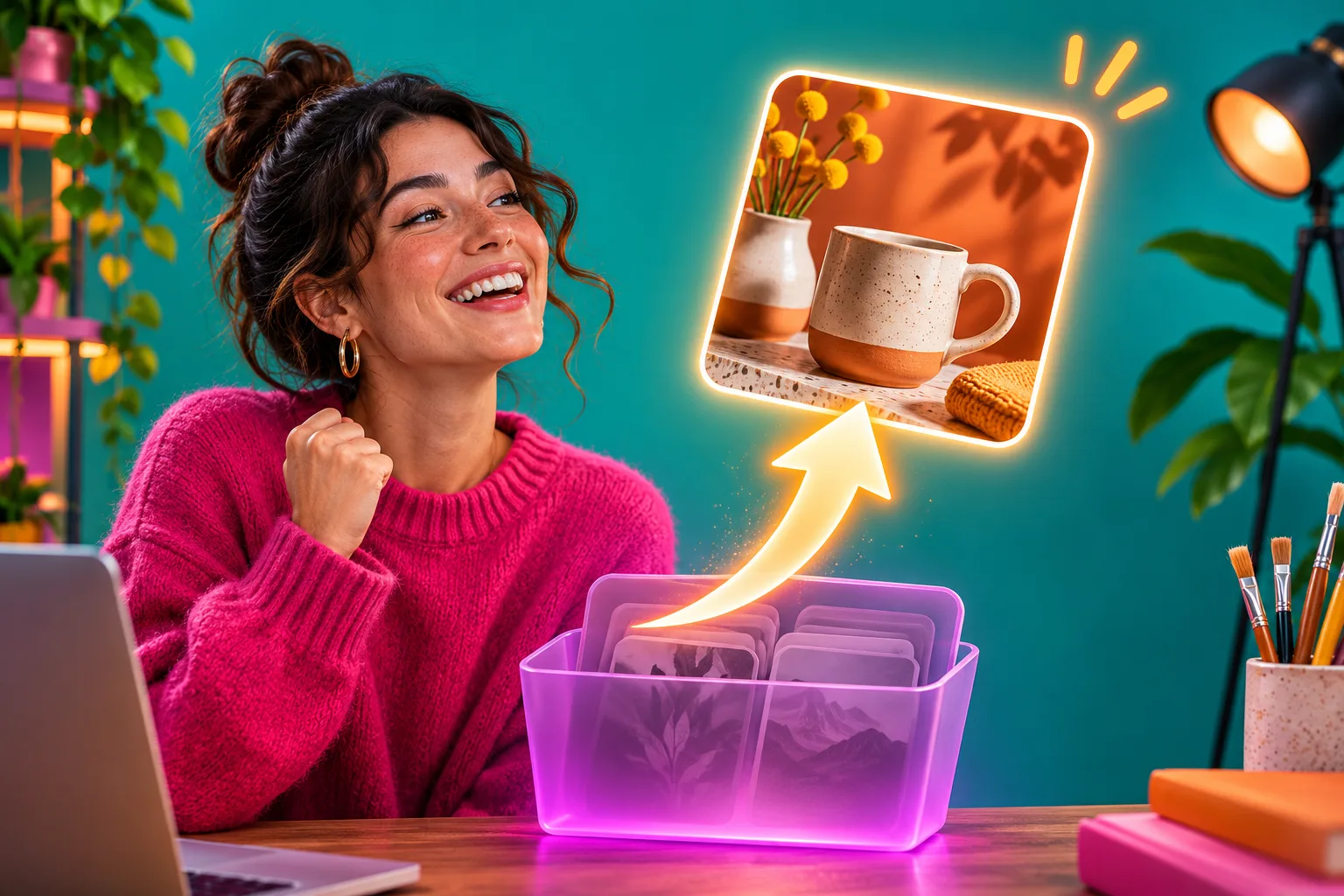
Where to look for a missing Instagram item
| What happened | First place to check | Realistic result |
|---|---|---|
| You deleted a published post or Reel | Recently Deleted in the same Instagram account | Restore if it is still eligible and confirmation succeeds |
| You hid a post from your grid | Archive | Show the archived original on your profile again |
| An unpublished Reel draft vanished | Original device and saved source clips | Recover or rebuild footage if independently saved; published-post restoration does not apply |
| A Story disappeared after its normal life | Story Archive, if archiving was enabled | Find an archived Story; its original 24-hour audience window does not restart |
| Instagram removed content | Account Status and the notice from Instagram | Follow the stated review or appeal path, if offered |
| The recovery window passed | Camera roll, project files or other backups | Create a new post if you still have rights and accurate content |
Start by identifying what actually went missing
A post that disappears from your grid has not necessarily been deleted. Someone on the team may have archived it, Instagram may have removed it after a policy decision, a collaborator may be looking at the wrong account, or an unpublished Reel may still exist only as a draft on another device. A published item you deliberately deleted is the case that Instagram's Recently Deleted feature is designed to address. Name the case before trying a solution.
Look at the last action you can verify. If you used a Delete command on a published photo or Reel, go directly to Recently Deleted. If you chose Archive, open Archive. If you were editing but never published, check Reel drafts on the device used for that edit. If Instagram sent a removal notice, read that notice and Account Status instead of treating the action as your own deletion. A camera-roll file helps only when the platform copy cannot be restored or you need the original for another purpose.
The distinction matters for customers too. A post attached to a campaign, booking link or product announcement may have an old address that partners shared. Recovering the original post, when available, is different from making a new upload with the same picture. Until you know which route applies, pause any scheduled message that points to the missing item and keep a copy of its known URL for a later check.
Use a four-question recovery triage
Ask four questions in order: Which account published it? Was it ever live? What action removed it? How long ago did that action happen? This small triage is faster than searching through every Instagram setting. Teams with several brand accounts sometimes open a personal profile without noticing. If the item was not published, its draft and raw clips may be on a phone rather than in any online recovery folder. If a colleague archived it, the post is still part of the account but hidden from the grid.
Make a tiny incident note with the account handle, type of content, approximate original date, the most recent working link, and who last edited it. Do not put passwords or two-factor codes in that note. If a customer asks where a product post went, tell them you are checking the link rather than claiming it will return. If a Story was involved, record whether you deleted an active Story, whether it had been saved to your archive, or whether its normal 24-hour display period simply ended.
- Confirm you are signed into the account that originally published the item.
- Name the item type and what you last did: Delete, Archive, save as draft, or report a problem.
- Check the corresponding in-app area before editing, clearing data or reposting.
- If Recently Deleted shows an expiry indicator, act on the current item rather than relying on a remembered deadline.
Separate Recently Deleted, Archive and your own backup
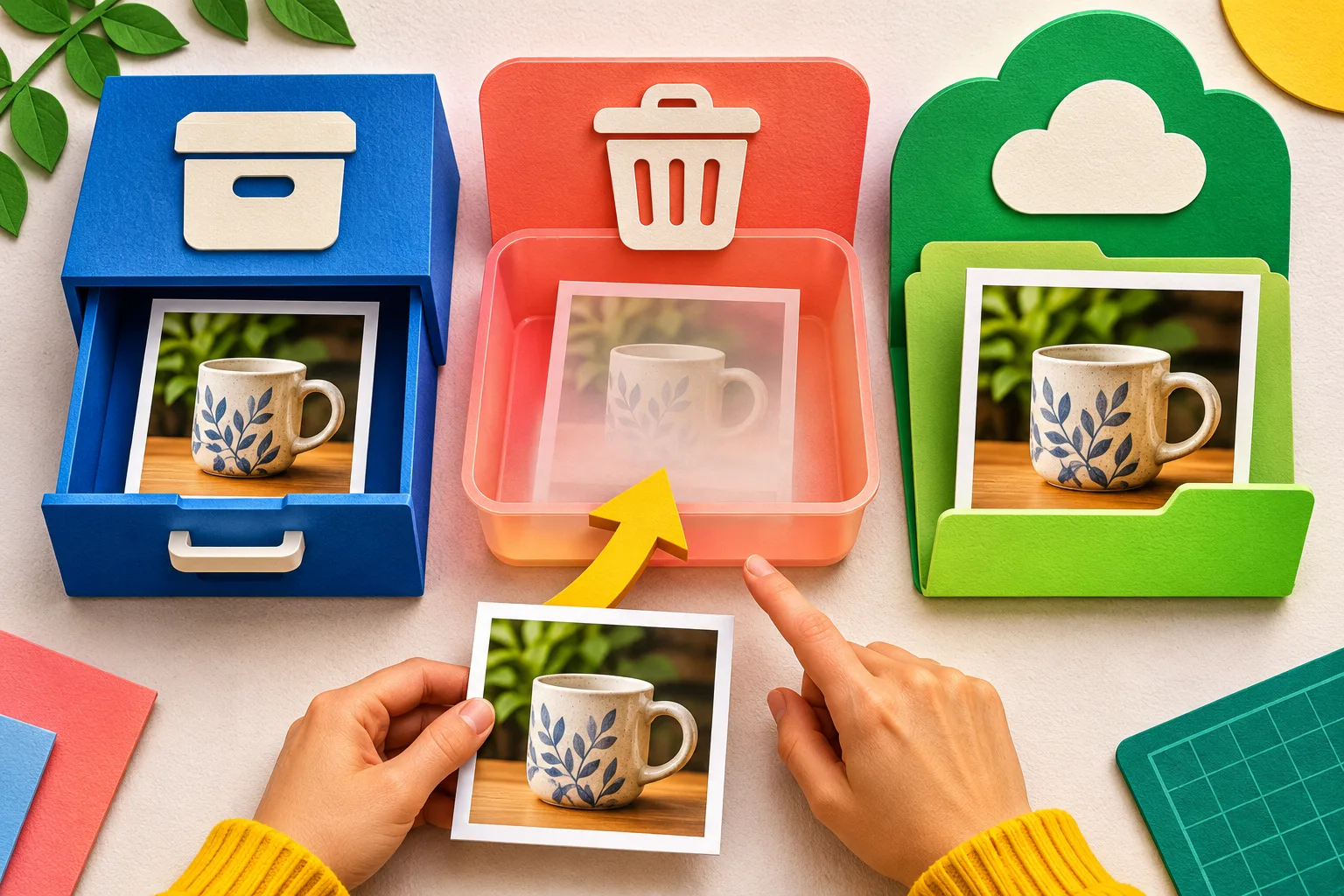
Recently Deleted is a temporary platform recovery area for content you chose to delete. Instagram's original feature announcement says photos, videos, Reels and Stories you delete are removed from the account immediately and moved there, subject to different time windows. You may be asked to verify that you own the account before you restore or permanently remove an item. A post in Archive is different: you hid it from the profile without deleting it. Its route back is Show on profile or the current unarchive action, not the deleted-items folder.
Your camera roll, cloud photo backup, editing project and caption document are a third place. They contain files or notes that you own, not necessarily an Instagram post with its old address and interactions. Think of them as materials for rebuilding. An account data download can be useful for reviewing account information, but it should not be treated as an automatic undelete button or a guaranteed replacement for full-resolution source media. Check the actual contents of any export before relying on it.
Imagine a pottery shop that cannot find a mug Reel. The owner first checks whether the Reel was published from the shop account. If it was archived, the team restores its visibility. If it was deleted yesterday, they inspect Recently Deleted. If it only existed as a draft, they check the original phone and camera clips. A folder of finished clips may allow a fresh Reel, but that is not the same as bringing back the earlier published item. This decision saves time and prevents accidental duplicate posts.
Restore an eligible post or Reel in the app
Open the Instagram app while signed into the account that published the post. Find Recently Deleted in the current Your activity or settings area; labels can move between app versions. Open the relevant content category and identify the exact photo, video or Reel by its thumbnail and context. Check any countdown or status displayed on that item. If Restore is offered, read the confirmation and complete any identity check inside Instagram's own flow. Instagram introduced verification here partly to limit damage after an account compromise.
Do not give a recovery code, password, backup code or login link to a person claiming they can restore the post for you. A legitimate in-app check should stay in Instagram's interface or official account-recovery path. If your team uses shared access, pause and ask the account owner to complete verification; do not forward a one-time code to a contractor through a DM. If the app says the item cannot be restored, preserve the message and move to the missing-item checks below instead of repeatedly pressing the action.
After confirmation, go to the profile and locate the post or Reel. Open it and verify its media, caption, tags, current visibility and any live linked destination. Test the original shared URL from a separate eligible view where practical. Do not assume that every comment, insight, ad association or external preview returned exactly as before without checking. If the original is visible again, update anyone who paused a campaign; if it is not, keep the incident open and do not promise customers a finished fix.
- Open the Instagram app on the account that published the original item.
- Find Recently Deleted through Your activity or the current settings path shown in your app.
- Open the matching photo, video or Reel and inspect its details before choosing Restore.
- Complete any identity confirmation requested by Instagram itself; never give a code to a third-party recovery helper.
- Return to the profile or content area and verify what actually reappeared.
Know the published time limits, especially for Stories
Instagram's introduction to Recently Deleted describes a general 30-day period for deleted photos, videos and Reels before automatic deletion. It also names a shorter exception: a deleted Story that is not in your archive can stay in the recovery folder for up to 24 hours. A Story saved in the archive falls under the longer general rule in that announcement. These are platform-published limits, not a guarantee that every item will remain available until the last minute. An in-app timer, item notice or later Help update is the safer authority for your particular account.
Do not confuse an ordinary Story ending after its 24-hour display period with someone deleting it. An expired Story may be in Story Archive if that setting was active; it is not necessarily in Recently Deleted. Restoring an archived Story for viewing or re-sharing does not rewind its original audience window. If the missing item is part of a time-sensitive event promotion, keep current event details on a maintained page or current Story instead of relying on the old one to revive a campaign.
A practical rule is to check as soon as you notice the loss. Avoid waiting until the end of a stated window, especially when a team member must regain access or confirm their identity first. Record the time the deletion happened as closely as you can, but do not invent an exact minute from memory. If a notice shows the item is already permanently gone, shift your effort to source files, accurate customer communication and a new post rather than trying to bypass the platform's expiry.
Check a missing item that is not in Recently Deleted
A blank recovery folder has several possible explanations. The item may belong to another account, may have been archived instead of deleted, may be an unpublished draft, or may have passed its recovery window. It may also have been removed by Instagram rather than by you. Work through those possibilities in order. Confirm the current account and the original URL, then look in Archive and the correct content type. If a colleague used an alternate account for a campaign, inspect that account with its authorized owner.
For a Reel draft, use the separate draft guide and original device. The published-post recovery area is not a general draft backup. For a vanished post that Instagram removed, inspect Account Status and the app notice for a reason and any review option. Do not delete and re-upload material repeatedly to evade a decision. If the item is public to you but absent for someone else, visibility or account privacy may be involved; check the exact audience setting before concluding it has been deleted.
- Do not uninstall the app, clear local data or pay a recovery service just because one item is missing.
- Check Archive, Recently Deleted and the correct account separately.
- Record the app notice or error and check Account Status if the removal was not yours.
- Protect the original camera files and caption notes while you investigate.
Handle Instagram removal differently from your own deletion
Recently Deleted addresses content you chose to delete. A platform removal after a policy review is a different process. If Instagram provides a notice, read what it says about the item and the account. Check Account Status for content decisions and recommendation eligibility that apply to your account, then use the available review or appeal route if the notice offers one and you believe a mistake was made. Do not assume that finding nothing in Recently Deleted means the platform erased content without explanation; confirm the account, item and notice first.
Keep a copy of the original media and the notice. A florist whose Reel was taken down because of a rights claim needs to inspect the audio and the stated issue, not just upload the same file again. A shop whose product post disappeared during a teammate handover may have a simpler access or archiving problem. The remedy depends on the documented reason. Never claim a changed caption or a bought engagement package can overturn a platform decision.
If a customer or collaborator shared the removed item's URL, update them only after you know the status. A new post has a new address, and placing the same claim in a new location may repeat the original problem. Use your website or another maintained channel to correct a time-sensitive price, opening hour or safety update while the platform issue is examined. This keeps the reader's immediate need separate from the account's appeal process.
Secure the account if the deletion was not yours
If posts disappeared after an unfamiliar login, unexpected password change or suspicious DM, treat the situation as an account-security issue first. Meta's account-safety guidance recommends official security tools and warns against fake messages claiming to come from Instagram. Use the app's security and recovery routes, review active sessions and connected access, change credentials from a trusted device, and turn on a suitable two-factor method where available. Ask the account owner to take these steps; do not coordinate through the same suspicious conversation.
Only after access is protected should the team inspect Recently Deleted and try to restore eligible items. Instagram added verification for restoration because somebody who gets into an account may delete content. If you begin reposting before securing the account, the same unwanted access can remove it again. Preserve the smallest useful record of unfamiliar activity, the missing content and any platform notice in a restricted place so the owner can explain what happened to support if needed.
Do not trust a website or DM that offers to recover everything for a fee if you supply a password, two-factor code or backup key. Those details protect the account, and no public guide can grant a third party the power to override Instagram's deletion deadlines. If you cannot regain account access through Instagram's official path, continue through its current account-recovery and report tools. A recovery attempt and the investigation of a possible compromise are related jobs, but neither one should be treated as a shortcut around the other.
Rebuild carefully when the original cannot return
Once native restoration is unavailable, look for the source photo or video in the camera roll, a synced photo library, the editor project, an external drive or a team asset folder. Check that the files are actually complete and that you have the right to publish them again. A saved preview, cropped screenshot or expired data-download link may not be enough to recreate a useful original. Keep the old caption, product details, approval notes and alt text if you have them, but check whether those details are still true before using them now.
Build a new post rather than telling readers the old one has come back. A new upload should be expected to have its own URL, publication time and engagement history. If a partner's page or your own site points to the deleted URL, update that link after verifying the replacement. If the old post promised a price or event date, use the current amount and date and consider a short correction for people who saw the earlier material. Do not copy old comments or claim a previous interaction count belongs to the new post.
The maker in the accompanying image uses original mug photos and notes to make a fresh product post. That is an honest fallback. A source file can recreate the picture; it cannot recreate the platform's original record. If the loss happened while an order for likes or views was in progress, contact the service's support with the order details and original URL before assuming the order can move to a new post. Do not place another order against an inaccessible destination just to see if it works.

Create a simple preservation routine for future posts
The most reliable prevention is not a complicated recovery app. Keep original media and an editable copy of the caption outside Instagram. For a team, use a shared folder with clear access roles and a filename that includes the campaign and date. Save product prices, permissions and approvals separately when they matter. After publishing, record the exact live post or Reel URL and the person who can verify it. A small content calendar can hold that record without becoming a second social dashboard.
Use Archive when the goal is simply to hide a published post while deciding what to do. Delete when removal is genuinely intended, after checking whether the link is embedded in a website, email or paid campaign. Neither choice excuses keeping unsafe or inaccurate content public. The useful distinction is that Archive is a visibility action while Delete starts a time-limited recovery path. Put that distinction in any staff publishing checklist and require a second look before permanently removing a high-value item.
- Keep original images, clips, captions, permissions and product details outside Instagram.
- Review Archive versus Delete before making a reversible editorial change.
- Make one named owner responsible for verifying the account and published URL after a restoration.
- Check backups after a phone change rather than assuming a social account is your only archive.
Keep recovery separate from growth decisions
A restored post solves an availability problem. It does not prove the content will reach the same people again, that every old link preview refreshes, or that an engagement total will behave in a particular way. Check the restored item itself, its audience setting and the current metrics Instagram actually shows. If a new post replaced it, compare that new item on its own terms. A missing item should not be diagnosed as an algorithm problem without evidence.
If you separately consider HitsBoost Instagram likes packages for a public eligible post, read the current destination requirements, quantity, price and support terms before ordering. A deleted, archived, private or otherwise inaccessible destination may not meet the service conditions; ask support about an existing order before changing its link. Purchased likes cannot restore deleted media, recreate a lost URL, reverse an Instagram policy decision or guarantee recommendations or sales. Recovery comes first, and the buying choice is separate.
The action sequence is straightforward: identify the original account and item; check Archive or Recently Deleted as appropriate; use Instagram's own restoration and verification flow while the item is eligible; inspect the result; secure a compromised account; and rebuild from owned source files only when native recovery is unavailable. Keep a small record of what changed so readers, teammates and customers are not sent to a dead post. That is more dependable than a one-click recovery claim.
Frequently asked questions
Can I recover a deleted Instagram post or Reel?+
Often, if you deleted the published item yourself and it still appears as eligible in Instagram's Recently Deleted area. Open it in the original account, follow the Restore flow and verify the live result. The current in-app notice controls your specific case.
How long do Instagram posts and Reels stay in Recently Deleted?+
Instagram's published introduction says most deleted content is automatically removed after 30 days. Do not wait until the deadline; inspect the item's current timer and any later Help guidance.
Why is a deleted Instagram Story not in Recently Deleted?+
Instagram says a deleted Story that was not in your archive may stay for only up to 24 hours. A Story that simply finished its normal display window is a different case; check Story Archive if it was enabled.
Is an archived Instagram post deleted?+
No. Archive hides a published item from the ordinary profile view. Use the Archive control to show it again; the Recently Deleted restoration path is for content you actually deleted.
Will restoring a post keep the same URL and all its engagement?+
Treat native restoration as bringing back the original item, then verify its URL, media, caption and displayed interactions in the app. Do not promise that every metric, preview or external link behaves identically without checking your case.
Can a data download bring back a permanently deleted Instagram Reel?+
An account data export is not an undelete command. If Instagram no longer offers restoration, check whether you separately saved the video and editing files; those can support a new upload, not revive the old platform item.
What if Instagram removed the post rather than I deleted it?+
Check the platform notice and Account Status. Use the stated review or appeal route if available. A policy removal is not the same as moving your own deleted post into Recently Deleted.
Can a recovery service restore my post if the deadline passed?+
Be cautious of anyone promising to override Instagram's controls, particularly if they request a password or verification code. Use Instagram's official recovery routes and your own independent source files.
Compare Instagram Likes packages.
Prepare the public destination, then review the quantity and terms that fit your goal.
Review Instagram likes packages and conditions