
Choose an Instagram data copy by the question you need to answer
| Your task | Useful request choice | What to check after download | What the file cannot prove |
|---|---|---|---|
| Keep a personal backup | Select the intended Instagram account and the broad information options available. | Confirm the archive opens, note its date and keep original media separately where needed. | That a restored account or every original upload exists in the copy. |
| Review profile or activity details | Select the relevant profile and activity categories where the interface offers them. | Inspect the account identity, date range and category names before drawing a conclusion. | That an omitted field was never held or that every recent action is present. |
| Compare follower snapshots | Request the relevant connection information at two genuinely different dates, if available. | Preserve both dated files and verify any apparent difference in the current app. | Who unfollowed at an exact moment or why a count changed. |
| Prepare a team handover | Use the narrowest account and categories needed for the agreed task. | Record the owner, permitted viewers and where the protected copy will be stored. | That a recipient has permission to publish, access private messages or control the account. |
| Assess an order or campaign | Keep the order receipt and a separate, dated account baseline; export only if it helps your own record. | Compare like with like, allowing for different dates and different metrics. | That a purchased count caused reach, engagement, recommendations, leads or sales. |
Understand what an Instagram data download is
A data download is a copy of information associated with the account you select. Meta says Download your information and Access your information now live in Accounts Center, with the choice to request Facebook and Instagram together or separately. That placement matters when someone has several connected profiles: selecting the wrong account can produce a perfectly valid file that still does not answer the question they meant to ask.
Treat the archive as a record to inspect, not as a duplicate app you can sign back into. It may contain files and folders rather than a familiar Instagram feed. A section that lists activity is not necessarily a complete chronology, and a media folder should not be assumed to replace your original camera files. The categories and options that appear in your account are more reliable than a static list in an older tutorial.
This guide is about requesting, reading and safeguarding your own information. The separate unfollower guide explains how to compare two dated snapshots for one narrow question. If your only concern is whether a particular person currently follows you, a full archive may be unnecessary. If your concern is account continuity, a considered backup and a note about what it covers are more useful.
Choose a purpose before requesting everything
Write down the question first. A creator who wants copies of past posts has a different need from a business checking old profile details or a person reviewing an unusual account change. This keeps the request proportionate and makes it easier to inspect the result. A huge export can be harder to review and more sensitive to store, especially if it includes messages or contact details that do not relate to the task.
Meta describes controls for accessing, managing, downloading and deleting information. Those are separate actions. Downloading a copy does not change a privacy setting, remove an old post or transfer ownership to a colleague. If you want to change who can see a profile, use the relevant privacy controls in the app. If you want to make a record before changing settings, request the copy first and keep the two steps distinct.
Use the decision table to match a purpose with a sensible request. For a team, decide who owns the account and who may receive the result before creating a broad archive. A social-media assistant may need the published media and approved brand notes, but not personal direct messages. When the purpose is no longer clear, pause and choose the narrower information instead of collecting everything by habit.
- Name the Instagram account before selecting any categories, especially if your Accounts Center contains several accounts.
- Choose the smallest set of information that can answer the question; a full backup is a separate task.
- If the screen offers a date range, quality or file format, record the choices you actually made.
- Confirm where Meta says the finished copy or notification will be available; use the official account flow to collect it.
Start in the official Accounts Center
Open Instagram through the installed app or its legitimate website while signed in to the account you control. From the profile menu, open Settings and then Accounts Center. Find Your information and permissions and the Download your information control. Interface wording and placement can change, so use the menu labels shown in your current app rather than following an unfamiliar link sent by a stranger. Meta confirms Accounts Center is accessible from Instagram's settings menu.
At the account choice, read the complete account identity instead of relying on a profile photo alone. Accounts Center can contain more than one Meta account. Meta says people may download Facebook and Instagram information together or choose them separately. If you need an Instagram-only record, choose that account deliberately. If you manage a client's profile, make the request through the access arrangement the owner authorises; do not ask for their password or a login code.
Continue through the request options visible on your screen. Confirm the destination or notification method Meta offers, then submit only once and retain a brief private note of the account, date and selected scope. You can use the article's checklist as a prompt, but the interface is the final authority for the controls available to your account. A submitted request is not the same as a downloaded, checked backup.

Select categories, time and file format deliberately
The request flow may offer choices about what information to include, a date range, media quality or how to package the file. Choose what fits the purpose and record the choices. A short date range can help a focused activity review, while a wider range may make sense for a personal archive. Do not call either one complete without checking what the account actually makes available.
If human-readable and structured formats are offered, decide who will use the result. A readable format is convenient for opening individual pages or folders. A structured format can suit someone authorised to analyse their own data with a suitable tool, but it is not automatically easier to interpret. Do not upload an archive containing personal information to a random online converter merely because a file looks unfamiliar.
Media quality is another practical tradeoff where the control exists: a smaller copy may be easier to move, while a larger one may preserve more useful detail. No choice should be treated as a replacement for the original files you created outside Instagram. Before pressing the final request control, review the account, categories, range and format together. The illustration beside this section represents that decision, not an exact Instagram screen.
Wait for the result and collect it through the same account
After submitting, allow Meta to prepare the copy. Processing time and how the ready notice appears can vary with the selected information and the account. Do not publish a universal deadline or assume the request failed because a large archive was not ready immediately. Return to the same official Accounts Center area and inspect the request status or the delivery instructions offered there.
Be cautious with messages that claim your export is ready and ask you to log in through a separate page. Open Instagram yourself and navigate to its settings instead of following a surprising link. Meta's account-security guidance advises reviewing legitimate communications and strengthening account access. A data request should never require you to give a third party your password, recovery codes or two-factor code.
When Meta shows the file is ready, collect it on a device you control. If the app asks you to verify your identity, complete that step only in the official flow. Save the file somewhere you can locate for inspection, then move it from a general Downloads folder to a protected location after checking it. Do not assume the availability window from another platform or an old tutorial applies to your current Instagram request; use the deadline shown to you.
Open the archive and confirm what arrived
A downloaded archive may need to be unpacked before its contents are readable. Use the operating system's normal archive utility on a trusted device. Start at the top-level index or folder list and look for the chosen account and the subjects you requested. If you selected a structured file, open a sample in a trusted local viewer; if you selected a readable format, follow its local index or files. Neither format should be forwarded to an unknown website just to preview it.
Check four things before calling the job finished: does the file open, does it identify the intended account, does its apparent date range fit the request, and are the expected categories present? The checklist is a review method, not a promise that Meta includes any specific field. Screens and exported structures can change. A document that exists but cannot be opened is not a useful backup, while a working file from the wrong account is not the record you sought.
Make a short private manifest: the date requested, account handle, selected scope, format and where the protected copy now lives. A manifest is more useful than renaming the archive to something vague like final-new-copy. Do not put account passwords or recovery codes in that note. If you will compare two exports, preserve each original file and the manifest separately so that later results cannot be confused with earlier ones.
- Check that the downloaded file belongs to the intended account and that it opens without an error.
- Read the top-level folder or index before searching individual files.
- Record the request date, chosen range, included categories and available file format in a short private note.
- Separate what the archive actually contains from what you expected it to contain.
Protect the file as private account information
An archive can expose more than a public profile. Depending on what you requested and what Meta supplied, it may include private activity, conversations or information about other people. Put the file in storage that you control and protect, such as an encrypted device or a trusted account with appropriate access controls. Check who can open a shared folder before placing the archive there. A public link or an ordinary team chat attachment is a poor default.
Keep a separate copy only if it improves resilience and you can protect both locations. Two unmanaged copies increase the number of places sensitive information can leak. If a colleague needs a specific photograph or approved post, share that item instead of the complete archive. A consultant providing follower or comment services does not need your account data file, password, session cookie or recovery information to discuss an ordinary public-link order.
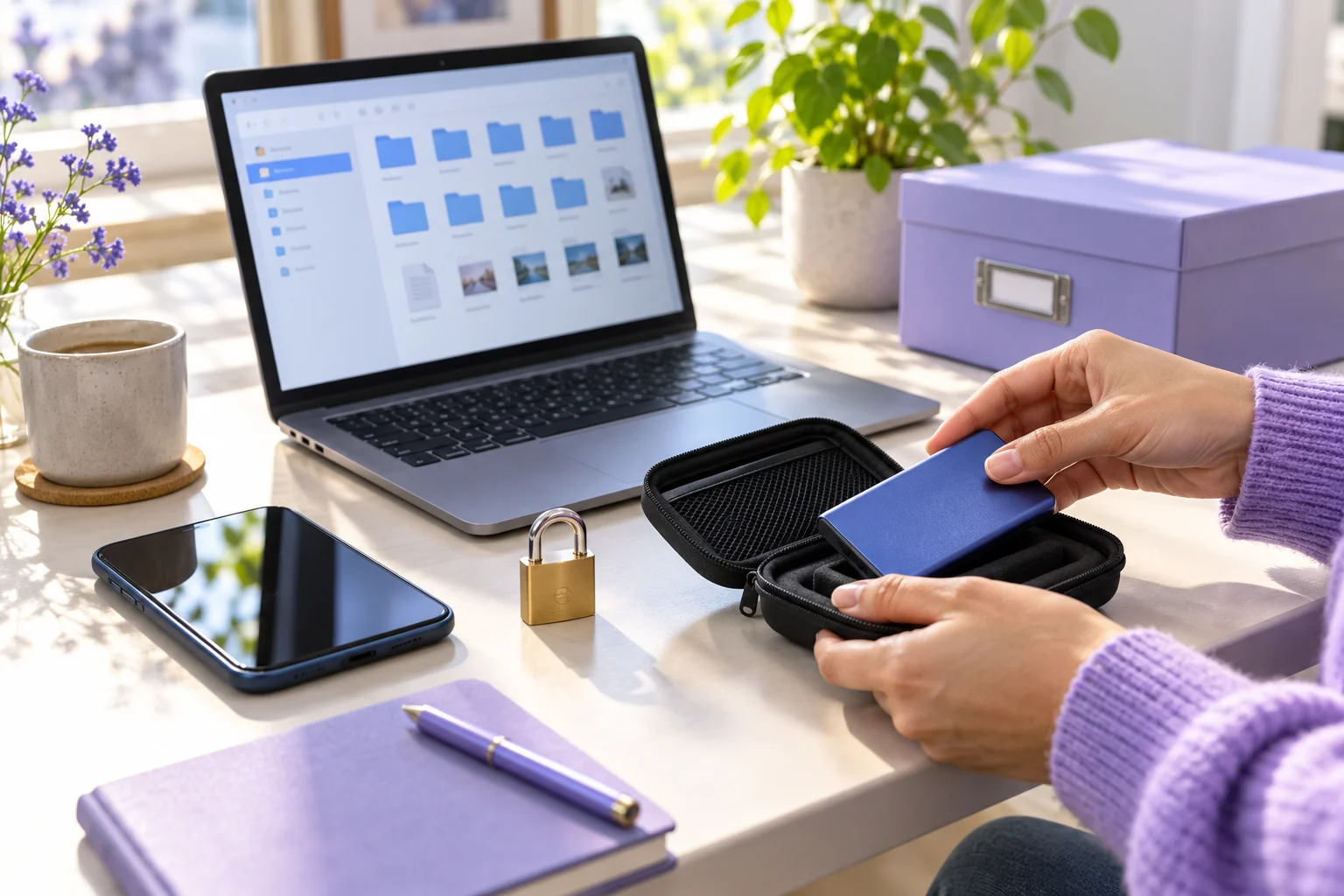
Decide when to review or remove the saved copy. A creator preserving personal work may keep it longer than a temporary collaborator who needed a limited handover. Follow any applicable company retention obligations and respect other people's information in the file. The photograph here illustrates protected local storage; the padlock is a visual cue, not a claim that merely using an external drive encrypts a file.
- Keep the copy in a protected account or encrypted device that you control.
- Do not leave an unprotected duplicate in a shared Downloads folder or a public cloud link.
- Limit team access to the data genuinely needed for the assigned task.
- Review retention later and remove copies that no longer serve a lawful, agreed purpose.
Separate download, transfer and account recovery
Meta places Download your information alongside other information controls, but the actions serve different purposes. A download gives you a copy to inspect or keep. A transfer sends selected information to another supported destination through a separate flow. Access your information is for viewing available information within the account. Do not assume selecting one automatically performs the others.
A downloaded file is also not a recovery credential. If you lose account access, follow Instagram's official recovery route; a folder of previous posts does not unlock the account. Protect the email and phone details that support legitimate recovery, use current security controls and keep the downloaded archive separate from passwords. An archive may help you remember what was on an account, but it cannot verify that a particular recovery outcome will succeed.
For a business handover, establish the actual account permissions and ownership separately from the information copy. A colleague who receives a media folder has not thereby been granted authority to publish or read private messages. Conversely, giving someone a login is not a sensible substitute for a data handover. Agree the purpose, provide only the needed files and document who is responsible for future account decisions.
Investigate an incomplete or missing category carefully
If something seems absent, first compare the result with the choices in your request. Was the right Instagram account selected? Did you choose all information or only certain categories? Was the date range broad enough for the item? Did you open the complete archive rather than a preview or one folder? A missing item may be explained by the request design before it says anything about the live account.
Then compare the live app with the export. Content can be unavailable for several reasons, including the category Meta provides, changes to the content or differences in how the two views are organised. The archive is not an independent audit of Instagram's every past action. If a follower count differs, compare dated snapshots and inspect current account data; do not treat one missing username as proof of a specific unfollow event or platform penalty.
If the file cannot be created or opened, note the exact screen, account and error, check your storage and ordinary archive utility, and use Instagram's in-app help route for a persistent fault. Avoid repeated submissions while a request is still processing. Never send the full archive to a public help thread to diagnose a problem. A useful support description can identify the option chosen and the symptom without exposing personal records.
Use a dated copy for planning without inventing results
A data copy can help a creator or small business preserve a baseline before changing its profile, publishing plan or team process. For example, an imaginary ceramics studio records its current profile details and saves copies of its own photographs before handing content scheduling to a colleague. It also keeps a simple note of where new customer enquiries actually arrive. The studio does not expect the export to predict how a future post will perform.
After a month, the studio compares its new profile and content with its dated record. The useful question is whether details stayed accurate and whether the planned work was completed. Separate platform numbers from business actions: follower counts, post responses, profile visits and genuine enquiries mean different things. An export may document some account information but does not establish why a metric moved or who would have acted without the change.
Pair this record with a manageable content calendar and an accurate bio. If the owner changes opening hours or contact instructions, update those public details directly; an archive is a reference, not a publication tool. If a contractor needs approved old photographs, give them the media needed for the task, not a complete personal data package. The decision table's campaign row is a way to keep claims modest, not a measured case study.
Keep a follower-service decision separate from the backup
Some people request an archive while preparing a follower campaign. That can be a sensible record-keeping habit if the scope is proportionate, but buying a package does not require a data download. HitsBoost's Instagram follower service uses the public destination and order details described on its current page. Review the eligible profile, package quantity, live price, timing, support terms and final checkout total there before deciding whether any option suits you.
Do not send HitsBoost or another provider your archive, password, two-factor code, recovery code or private messages to place a standard public-link order. A request for those items is a reason to stop and verify the provider. A dated account note and an order receipt can help you ask support a precise question later. They cannot prove that a purchased follower count caused recommendations, reach, engagement, leads or sales.
If your main task is simply to protect personal information, finish that task without buying anything. If your main task is selecting a follower service, read the separate provider-safety checklist and the current money page. Keep a baseline only where it will help you compare the actual order with the stated deliverable. Revisit the archive later to remove or restrict copies you no longer need; account control remains more important than collecting more files.
Frequently asked questions
Where do I request my Instagram data?+
Open Instagram settings and find Accounts Center, then Your information and permissions and Download your information. Select the intended Instagram account and review the options visible there. Meta confirms that the control lives in Accounts Center; menu wording can vary by device and version.
Can I download Instagram data without downloading Facebook data?+
Yes. Meta says Accounts Center can provide information from Facebook and Instagram together or separately. Read the account selection carefully when several accounts are connected.
Is a downloaded archive a complete backup of my Instagram account?+
Treat it as a copy of information made available for the selected request, not a working account clone or a guarantee that every original media file and historical interaction is present. Check what you actually received and keep important original uploads separately.
Should I choose a readable or structured file format?+
If the request offers both, choose a readable format for manual inspection and a structured format only if you have an authorised, trusted way to analyse it. Inspect the choices shown on your account and avoid uploading private data to an unknown converter.
Why is a photograph, message or follower entry missing?+
Check the selected account, categories and date range, then inspect the full archive and current app. A missing entry in one file is not enough to establish deletion, an unfollow event or an account penalty.
How long will Instagram take to prepare my data?+
Processing time depends on the request. Use the status and any deadline shown in the official Accounts Center flow rather than relying on a universal number or another platform's availability window.
Can I share my Instagram archive with a social media agency?+
Share only the specific files needed for an agreed task, through a protected route. A complete archive may contain personal information or other people's messages. No ordinary public-link growth order needs your downloaded data file or login credentials.
Will downloading my data change or delete anything on Instagram?+
A download is for obtaining a copy. Meta presents accessing, downloading, transferring and deleting information as separate controls. Review the action selected on the live account before confirming it.
Does an account export prove whether buying followers worked?+
No. Keep the order details and a dated account baseline if useful, then compare only metrics with the same definition and time period. The archive cannot establish that a purchased count caused reach, engagement, recommendations, enquiries or sales.
Compare Instagram Followers packages.
Prepare the public destination, then review the quantity and terms that fit your goal.
Review Instagram follower packages and requirements